ArchiCGI

Visual Content Production for Residential Architecture: Pain Points, Pitfalls, and aProven Hybrid Solution

Executive Summary

Residential architecture projects need diverse visual materials throughout their lifecycle — from early design sketches to client presentations and final marketing imagery.

This case study reviews several visual content production models: in-house teams, freelancers, archviz agencies, SaaS or real-time tools, AI generators, and on-site photography. Each differs in cost, quality, speed, and control.

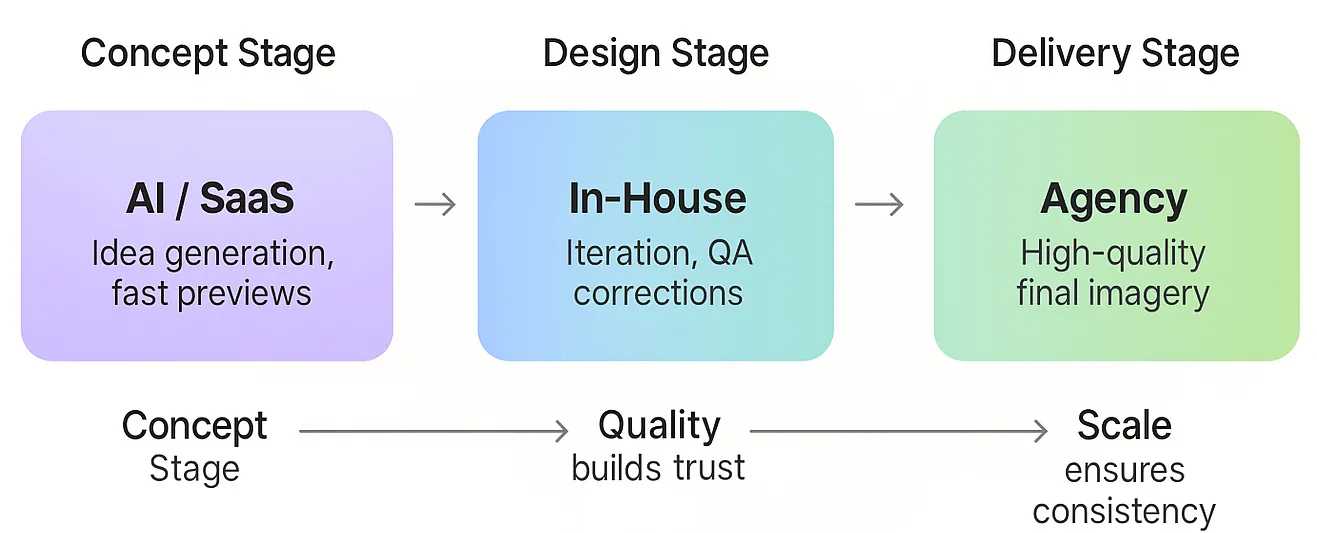
The findings show that a hybrid model works best — a small in-house team handling design direction and quality control, supported by an external agency for high-end visuals. 

While AI and cloud tools offer speed, human oversight remains essential for accuracy and design integrity. The best approach for U.S. residential architects in 2025 is a hybrid model — a small in-house team for real-time iterations and quality checks, supported by a trusted external studio for photorealistic, time-sensitive deliverables. This balance ensures flexibility, precision, and persuasive visuals under tight deadlines.

Production Models vs. Content Types Matrix

Different types of visual content are best suited to different production approaches. The matrix below maps common residential architecture content types to the most effective production models.

Symbols:

    commonly used / optimal
~    possible but limited
×    not typical or feasible

Table 1: Visualization & Design Development

Content Type In-House Team Freelancer Agency Real-Time / SaaS AI Tools Photography (context)
Exterior still renderings (day/night) ✓Quick concept and design visuals ✓Specialist quality at moderate cost ✓Best for marketing-grade imagery ✓Fast via BIM plugins, moderate realism ~Useful for concept art only ~Used for photomontages or context
Interior still renderings ✓Quick design drafts for review ✓Detailed visuals for presentations ✓Photoreal marketing interiors ✓Rapid drafts for previews ~Mood/style exploration only × Not applicable pre-construction
Photomontage / context shots ✓Basic site composites ✓Accurate integration. ✓High realism for planning visuals ~Camera matching tools available × Lacks geometry accuracy ✓Base for context images
Aerial views / massing context ✓BIM-based massing studies ✓Modeled surroundings ✓Complex compositions & drone integration ~Game-engine style massing only ~Imaginative, not site-accurate ✓Drone photos for real context
Sun / shadow & daylight studies ✓BIM or SketchUp analysis ~Possible on request ~Typically handled by architects ✓Real-time sun simulation × No data accuracy × Not feasible pre-build
Design iterations & material options ✓Fast BIM/Enscape updates ~Slower feedback on variants ~ Can deliver multiple versions at extra cost ✓Instant swaps in real-time ~Stylized variations only × Not applicable

Table 2: Advanced Visualization & Marketing

Content Type In-House Team Freelancer Agency Real-Time / SaaS AI Tools Photography (context)
360° panoramas & virtual tours ✓Enscape or similar ✓Standard among skilled artists ✓Polished, interactive VR ✓Export-ready from game engines ×No true interactivity ×Post-construction only
VR walkthroughs (real-time) ~Possible with setup/training ~Rare expertise ✓Full VR delivery pipeline ✓Twinmotion/Unreal VR export ×Not applicable ×Requires built project
AR on-site overlays ✓Used experimentally ~Rare offering ~Specialized AR agency needed ~BIM-based AR extensions ×Not applicable ✓Live site camera overlay
Animated walkthroughs / fly-throughs ~ Simple, limited quality ✓Short, affordable flythroughs ✓Cinematic-grade animation ✓Quick live-scene recording ×No 3D animation ×Filming only
Phasing / before-&-after sequences ✓Diagrammatic overlays ✓Sequential "before-after" ✓Animated or illustrated phases ~Basic fades via real-time tools ×Cannot create true sequences ✓Combine "before" photo with rendered "after"
Client / HOA submission boards ✓Architect-prepared layouts ~Visuals only ~Visuals only ×Single image exports ×Limited control ✓Context imagery included
Marketing media (Social, Web, Ads) ✓Basic promo visuals ✓Social-ready stills & clips ✓Hero imagery & campaigns ✓Quick social exports ~Artistic concept filters ✓Used post-construction

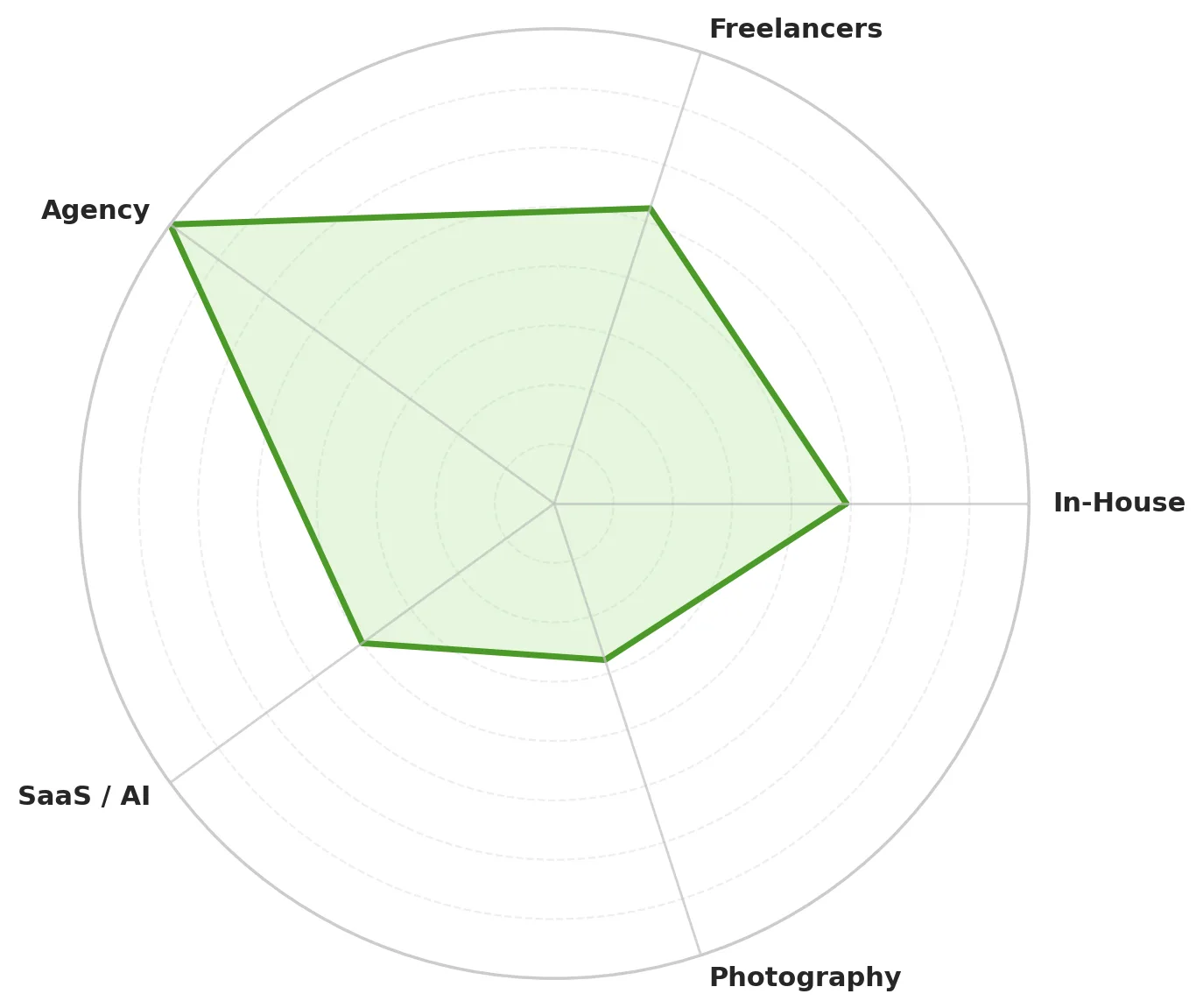
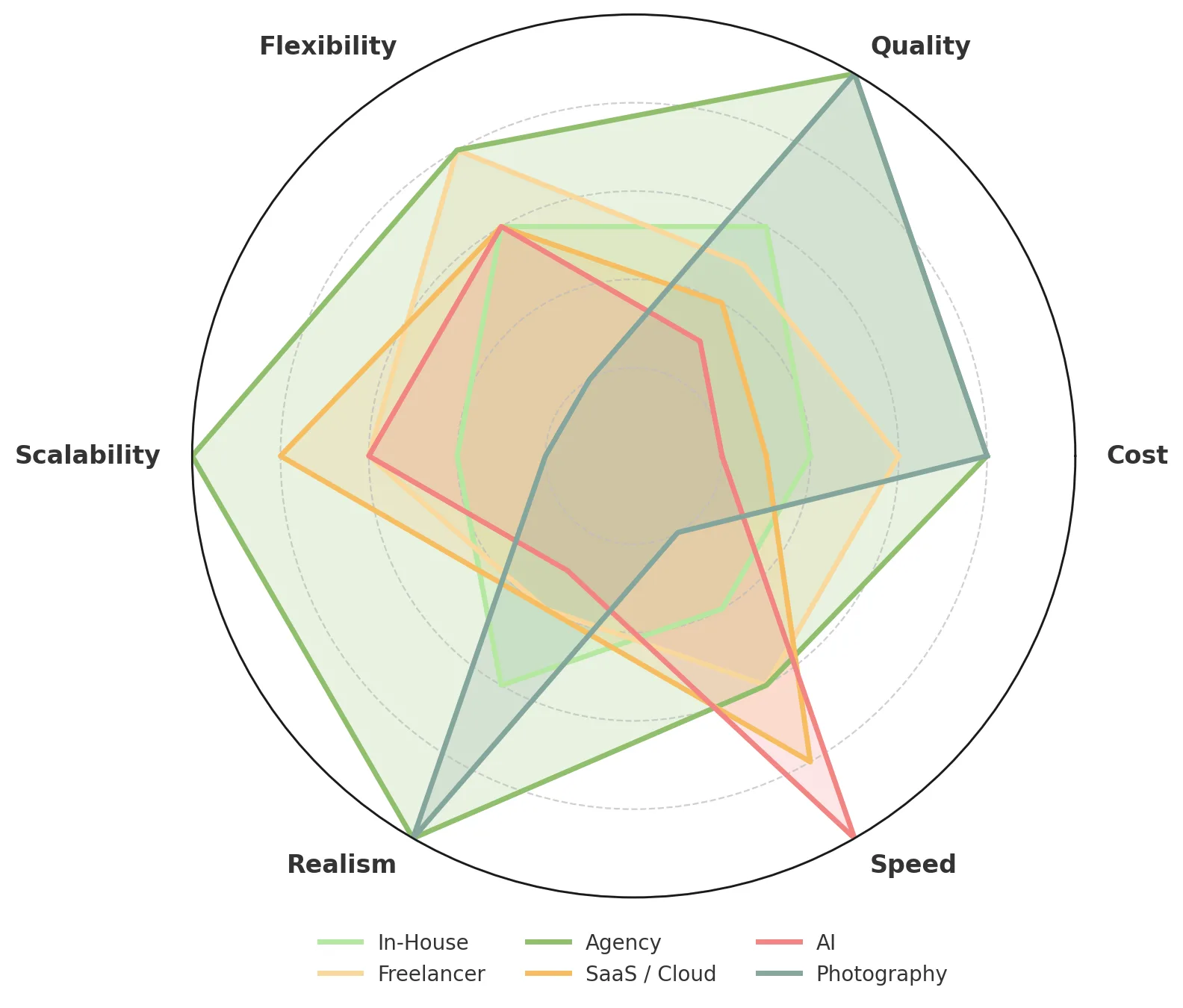
Average Suitability of Production Models (Radar Chart)

Interpretation:

In-House teams excel at iterative design-phase visuals — quick massing, Enscape previews, sun studies.

Freelancers and agencies handle high-fidelity, presentation, and marketing-grade imagery.

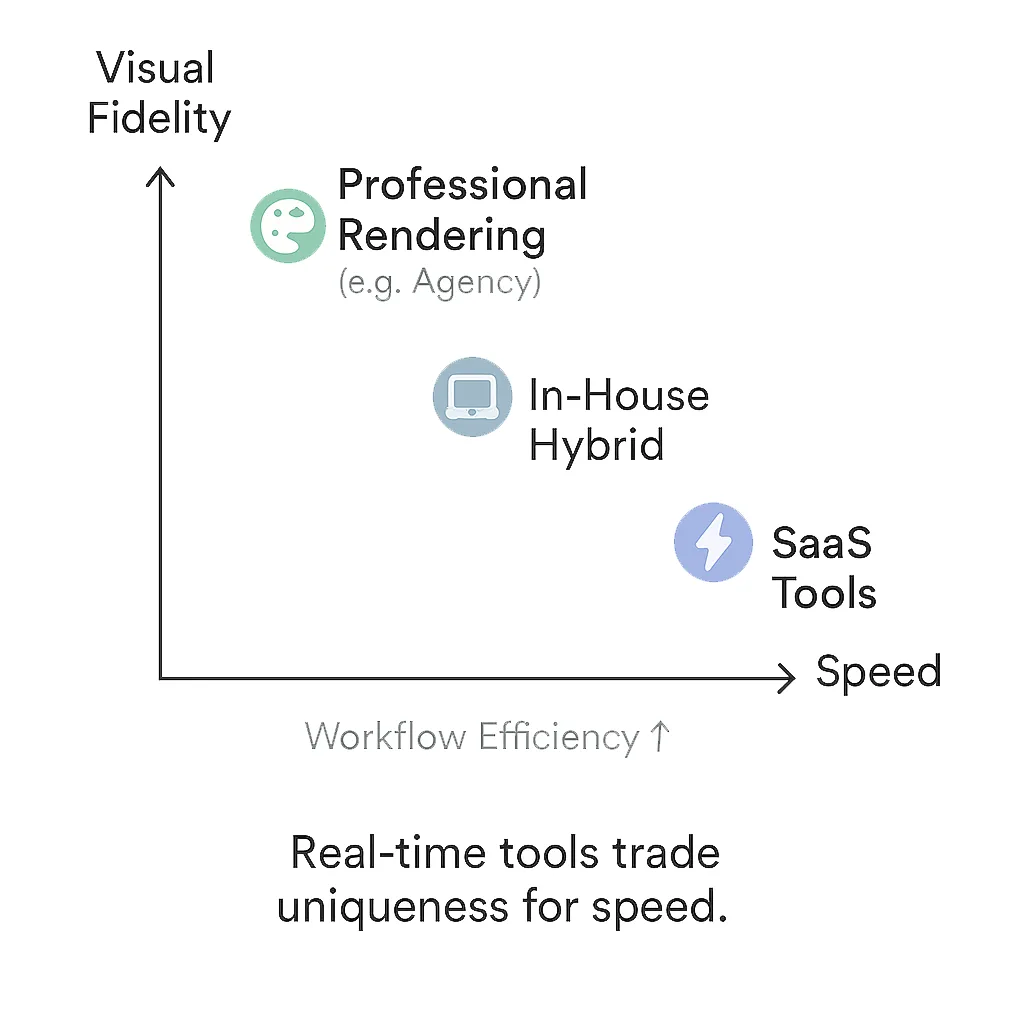
Real-time tools boost speed and iteration but often lack artistry.

AI tools help ideate but remain unsuitable for precise visualization.

Photography complements CGI for realistic context or post-build marketing.

In summary:

  • Fast and frequent visuals → in-house (real-time software)
  • Ultra-real visuals for persuasion → outsource or agency
  • New tech like AI/VR → supplementary roles
  • Actual photos → realism/composite use only

Cost Comparison of Production Models

Cost is a key factor in selecting a visualization model. The table below shows typical 2025 U.S. market ranges for both one-time and ongoing needs. (Approximate values; hidden costs may include hardware, software, coordination, training, and revisions.)

Model One-off Small Project (~1–5 renderings) One-off Larger Project (~10–20 renderings) Ongoing Needs (~20–60 images per month) Typical Rate Basis Hidden Costs / Notes
In-House Team No per-image fee ; full-time staff (~$80k/yr ≈ $40/hr). ~20 hrs per render ≈ $800 labor. Overtime or extra hires needed. Effective $800–$1,000+ per image. 2–3 staff (~$200–$300k/yr) → 30–50 images/mo. Beyond that = new hires. Salaried staff (fixed annual). + Full control & fast iteration.
– High fixed cost, limited scalability, training & hardware required.
Freelance (Outsource) .~$200–$800 per image (5 imgs = $1k–$4k total). ~$150–$600 per image (10–20 imgs = $3k–$12k total). 1 freelancer = 4–8 imgs/wk → need several for 20–60 imgs/mo. Per image / hourly ($20–$75/hr). + Flexible, pay-per-project.
– Style variance, QA & coordination load, NDA/IP risks.
Professional Agency (Archviz Studio) $500–$2,000+ per still (3–5 imgs = $2k–$6k total). 10–20 stills = $10k–$20k ($500–$1,000/img avg.). Retainers enable scalable volume at stable quality. Per image or per package. + Consistent quality, PM support, high reliability.
– Higher cost per image.
SaaS / Real-Time Tools (DIY / Cloud Rendering) Subscription tools (e.g., Enscape ~$75/mo); cloud ~$5–$10/frame. No per-image fees; depends on the architect's time. Highly scalable: dozens of renders/mo once BIM model ready. Subscription + cloud credits. + Fast & low marginal cost.
– Generic look, time lost on prep & integration.
AI Generative Tools (concept / ideation only) $20–$50/mo (Midjourney, D5 AI). High quantity but inconsistent accuracy. Unlimited output, zero precision. Subscription. + Rapid concepts.
– No geometry/material accuracy; IP risk.
On-Site Photography (for built or existing context) $500–$1,500/day. For one house: ~1-day shoot ≈ $1,000 total (photos + drone). Multiple sites or drone add-ons = $2k–$5k total. Occasional (only after build). Day rate / per session. + Realism unmatched.
– Weather/time limits, low post-edit flexibility.

Cost Comparison Table (USD)

Model 3–5 Renders 10–20 Renders Continuous (Monthly) Hidden Costs
In-House $2,000 – 4,000 $6,000 – 12,000 $10k + (salary + tools) Hardware, rework, hiring
Freelancer $1,500 – 3,500 $4,500 – 9,000 Varies by availability Inconsistency, delays
Agency $2,000 – 5,000 $5,000 – 11,000 Monthly plans: $4k – 12k Inconsistency, delays
SaaS / AI $300 – 1,000 $1,000 – 2,500 $200 – 600 / mo Quality limits, IP issues
Photography $1,000 – 3,000 $3,000 – 6,000 N/A Reshoots, permits, weather

Assumptions: SFD or duplex home, 8–12 scenes, typical deadlines under 3 weeks.

Summary of Cost Trends:

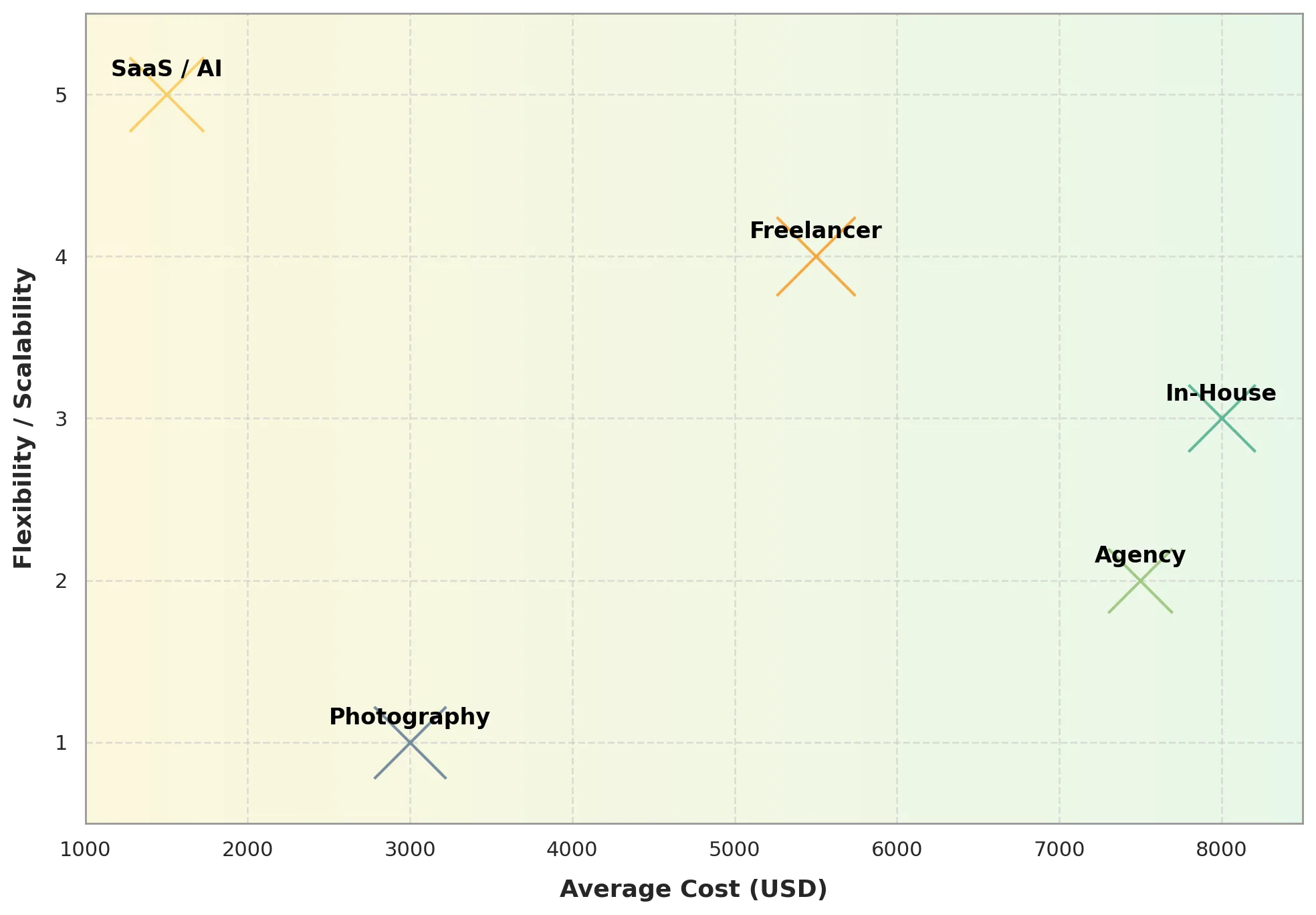
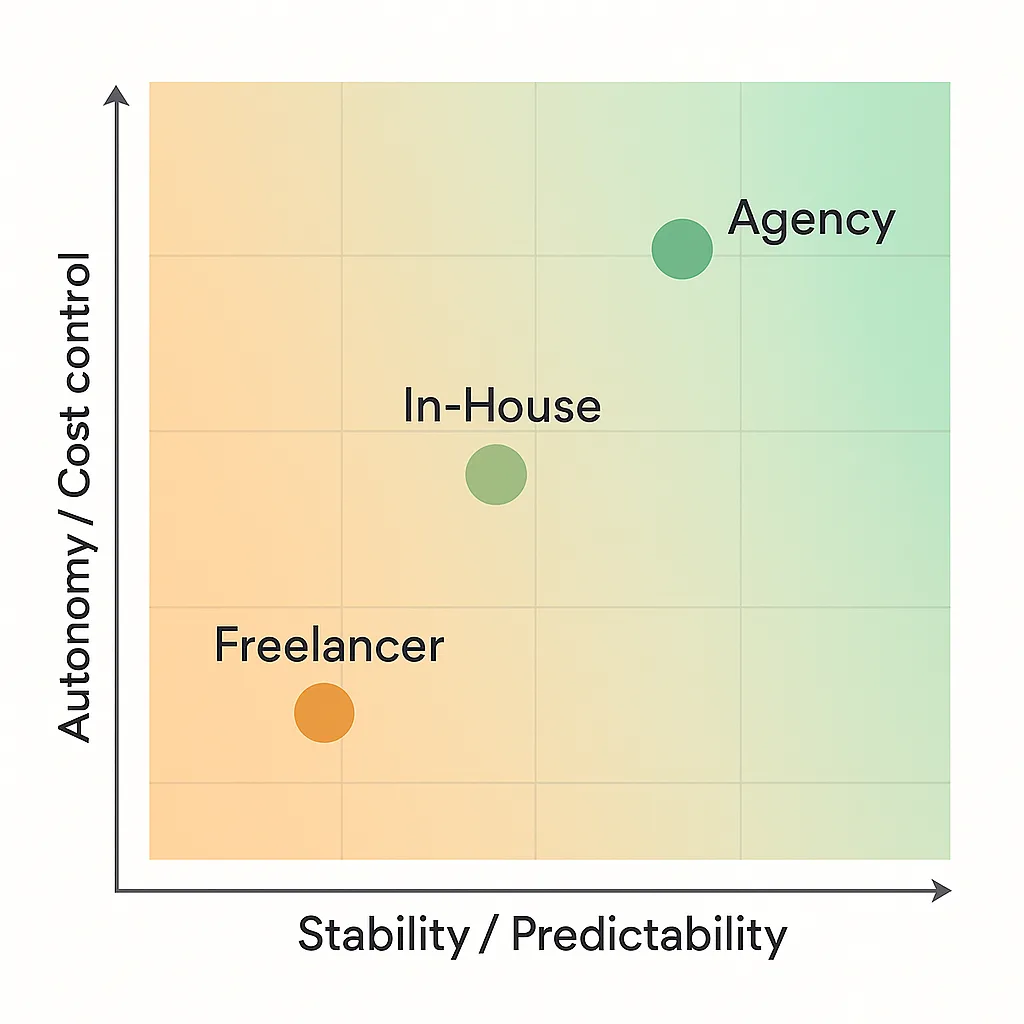
● In-House: hidden cost in salaries, hardware and soft; best for iterative design, not volume.
● Freelance: not always flexible, moderate rates, variable quality.
● Agency: premium quality, consistent results, flexibility, scalability.
● SaaS / Cloud: low marginal cost, but needs time investment from the architect.
● AI: cheapest but conceptual only.
● Photography: high realism; only post-construction.

Balance of Cost vs Quality

Risk Analysis & Mitigation

Each production model carries a distinct risk profile. Understanding them helps firms plan realistic budgets, avoid delays, and protect intellectual property.

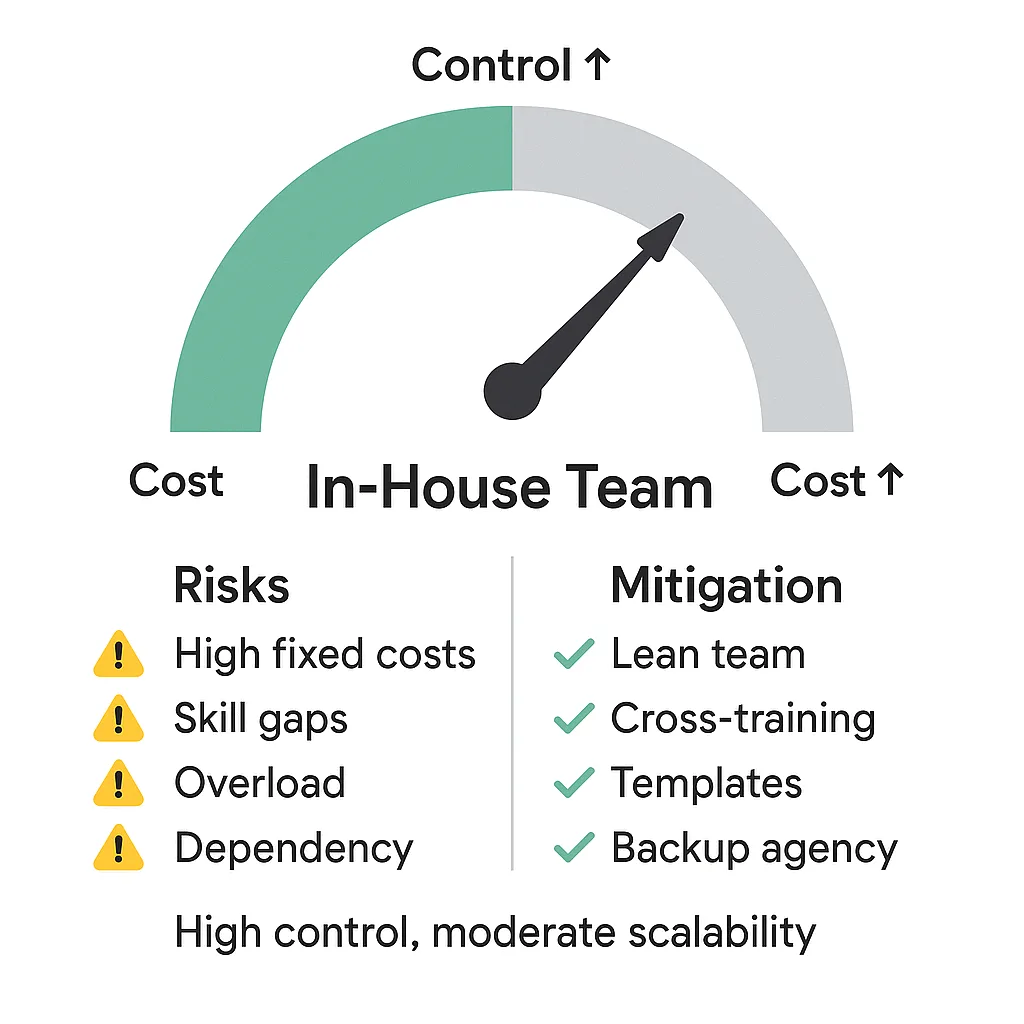
In-House Team

Risks:

  • High fixed costs: full-time staff, software, and hardware, even during low workload.
  • Skill gaps: full-time staff, software, and hardware, even during low workload.
  • Capacity overload:  peaks in workload lead to overtime or missed deadlines.
  • Single-point dependency:  loss of one specialist can disrupt the entire process.

Mitigation:

  • Keep teams lean — focus on design visualization and QA, not full production.
  • Cross-train staff in BIM, rendering, and post-production.
  • Maintain a standby agency for overflow
  • Use standardized templates for cameras, materials, and lighting.
  • Schedule regular hardware/software updates and R&D sessions.

Freelancers (Outsource)

Risks:

  • Quality inconsistency: skills, style, and reliability vary widely.
  • Inefficient briefing: incomplete data causes rework and hidden costs.
  • Timeline risk: freelancers may overbook or drop projects.
  • IP and data security exposure when sharing models externally.

Mitigation:

  • Provide detailed briefs (models, drawings, materials, references).
  • Use NDAs and contracts, though enforcement may be limited across borders.
  • Conduct internal QA before client delivery.
  • Define milestones and review previews regularly.
  • Maintain visual style guides for consistency.

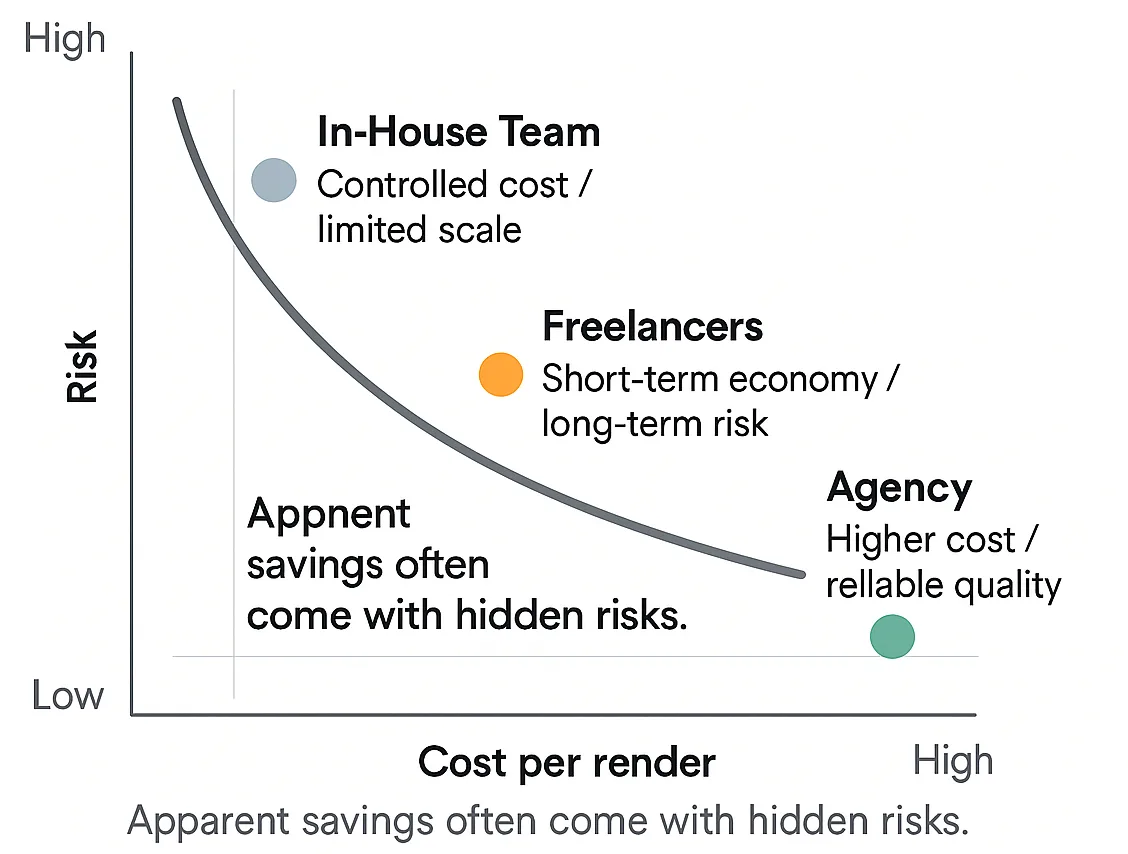
While freelancers can appear cost-effective, quality assurance and coordination still rest on your internal team. The real cost of missed deadlines or inconsistent output can outweigh savings.

Cost vs. Risk Curve

Professional Agency (External Partner)

Risks:

  • Higher per-image cost.
  • Potential scheduling conflicts during peak demand.
  • Reduced daily creative control compared to in-house staff.

Mitigation:

  • Partnering with a structured visualization agency minimizes operational risks. 
  • Agencies offer defined workflows, built-in QA, and scalable capacity even for complex projects.
  • Dedicated Project and Account Managers streamline communication, ensuring all feedback is captured and acted upon.

Best Practices

  • Choose agencies experienced in residential architecture.
  • Start with a detailed kickoff brief and follow structured preview stages.
  • Reserve agency involvement for key deliverables (marketing, client/HOA visuals).

A reliable agency acts as an extension of your team, not just a vendor.

SaaS / Real-Time Rendering Tools

Risks:

  • Recognizable, “template-like” visuals reduce uniqueness.
  • Technical limitations in lighting and material realism.
  • Extra time required for BIM cleanup and export.
  • Cloud-based rendering may raise data privacy concerns.

Mitigation:

  • Use for early-stage design presentations, not final marketing.
  • Develop custom material libraries and lighting templates
  • Apply post-production color grading to enhance output.
  • For sensitive projects, use local or private rendering environments.
  • Standardize BIM-to-render workflows to reduce rework.

AI Tools (Generative Image Models)

Risks:

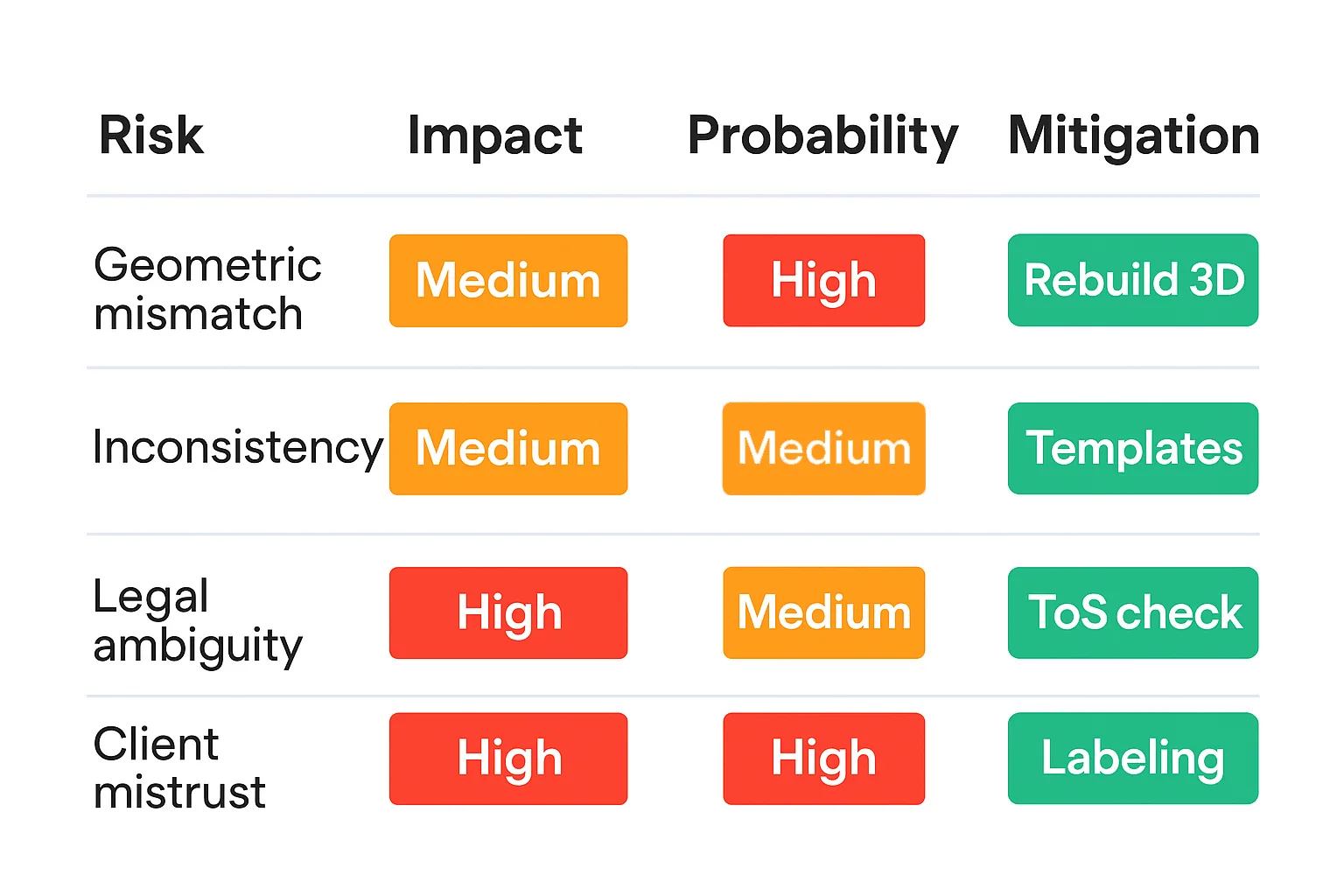
  • No geometric accuracy or design fidelity.
  • Inconsistent lighting, perspective, and scale
  • Legal and ethical risks tied to copyrighted training data.
  • Risk of misleading clients if AI output is presented as the final design.

Mitigation:

  • Use only for concept art, not client deliverables.
  • Label AI-generated imagery clearly.
  • Exclude proprietary data from AI uploads.
  • Recreate promising AI concepts using real 3D models.
  • Verify commercial use rights and data policies.

On-Site Photography

Risks:

  • Privacy or legal exposure when photographing private property.
  • Drone regulations and permit requirements.
  • Licensing issues with stock or third-party images.
  • Lighting mismatch between photos and renders.
  • Seasonal or time-based context differences.

Mitigation:

  • Work only with licensed photographers.
  • Obtain property permissions and drone permits in advance.
  • Keep RAW files for post-edit flexibility.
  • Align photo conditions with render lighting (e.g., dusk-to-dusk).
  • Label “proposed vs. existing” images clearly.
Risk In-House Freelancer Agency SaaS / AI Mitigation
IP / Licensing
Unclear ToS
Contracts, NDAs
Turnaround Delays
Staff limits
Often late
SLA-based
Fast, but risky
PM oversight
Style Consistency
Team churn
QA + templates
Shared library, QA
Communication
Easy
Async
PMs & tools
Platform with markup tools
File Ownership
No standard
Clauses + source backups
HOA Submission
Incomplete
Workflow compliance

Summary

Most visualization risks stem from fragmentation — separate tools, vendors, and communication channels.

The hybrid model mitigates these by integrating structured PM, clear communication, internal QA, and external scalability.

Firms using this approach achieve faster turnarounds, consistent style, and secure data handling — all while maintaining flexibility.

Overall Observations & Trends

Most residential architecture firms already operate in a hybrid visualization environment, even if informally — using in-house tools for fast design visuals and outsourcing high-impact imagery to external experts.

Key Observations

  • Speed and iteration dominate early design stages; real-time solutions allow instant feedback and client involvement.
  • Quality and persuasion are critical for approval and marketing phases, where agencies or skilled freelancers deliver the highest value.
  • Scalability is the main in-house limitation; structured agencies fill this gap with standardized pipelines and dedicated teams.
  • AI and SaaS tools support concept exploration and quick drafts rather than replacing traditional workflows.
  • Human creative oversight maintains design accuracy, narrative depth, and emotional impact.

Strategic function combines internal agility with external craftsmanship under consistent standards.

Production Value Chain

Strategic Recommendations for Residential Architecture Firms (2025)

  1. Adopt a Hybrid Model
    Keep a small in-house visualization unit for real-time design updates and QA, and partner with an external agency for marketing visuals and complex projects. Ensures scalability, quality, and reliability.
  2. Standardize Workflows
    Use consistent templates for camera angles, lighting setups, and file organization. Standardization reduces revisions and keeps all visuals on-brand.
  3. Integrate Real-Time Tools Early
    Apply Enscape, Twinmotion, or Lumion during design to accelerate feedback and client engagement. Outsource final “hero” renders for top-tier realism.
  4. Maintain QA & Brand Control
    Use a checklist for geometry accuracy, lighting logic, and brand consistency. Regular QA protects design integrity and visual quality.
  5. Use AI Wisely
    Employ AI for concepting and mood boards only. Recreate strong ideas in 3D before client use, and label AI-generated visuals clearly.
  6. Safeguard IP
    Sign NDAs, avoid public cloud uploads, store assets securely, and audit SaaS licenses to prevent data risks.
  7. Track Key Metrics
    Monitor turnaround time, revision cycles, and cost per image. Regular KPI reviews help refine workflows and measure ROI.
Project Stage Recommended Model Key Tools / Methods Rationale
Concept Design In-House + Real-Time BIM native (Revit, ArchiCAD) + Enscape / Twinmotion Fast iteration, direct architect control
Design Development (DD) In-House + Freelance Internal model setup + external artist for refinement Balance of flexibility and quality
Client / HOA Presentation Hybrid (In-House + Agency) In-House Agency-grade rendering tools (3ds Max + Corona / V-Ray) Persuasive visuals for approvals
Construction Documentation (CD) In-House Technical diagrams / sun studies / context massing Quantitative accuracy, internal validation
Marketing & Sales Professional Agency Photoreal CGI + compositing + post-production Highest polish and consistency
Post-Construction Photography + CGI composite Drone + photo retouch + render overlay Authentic marketing assets

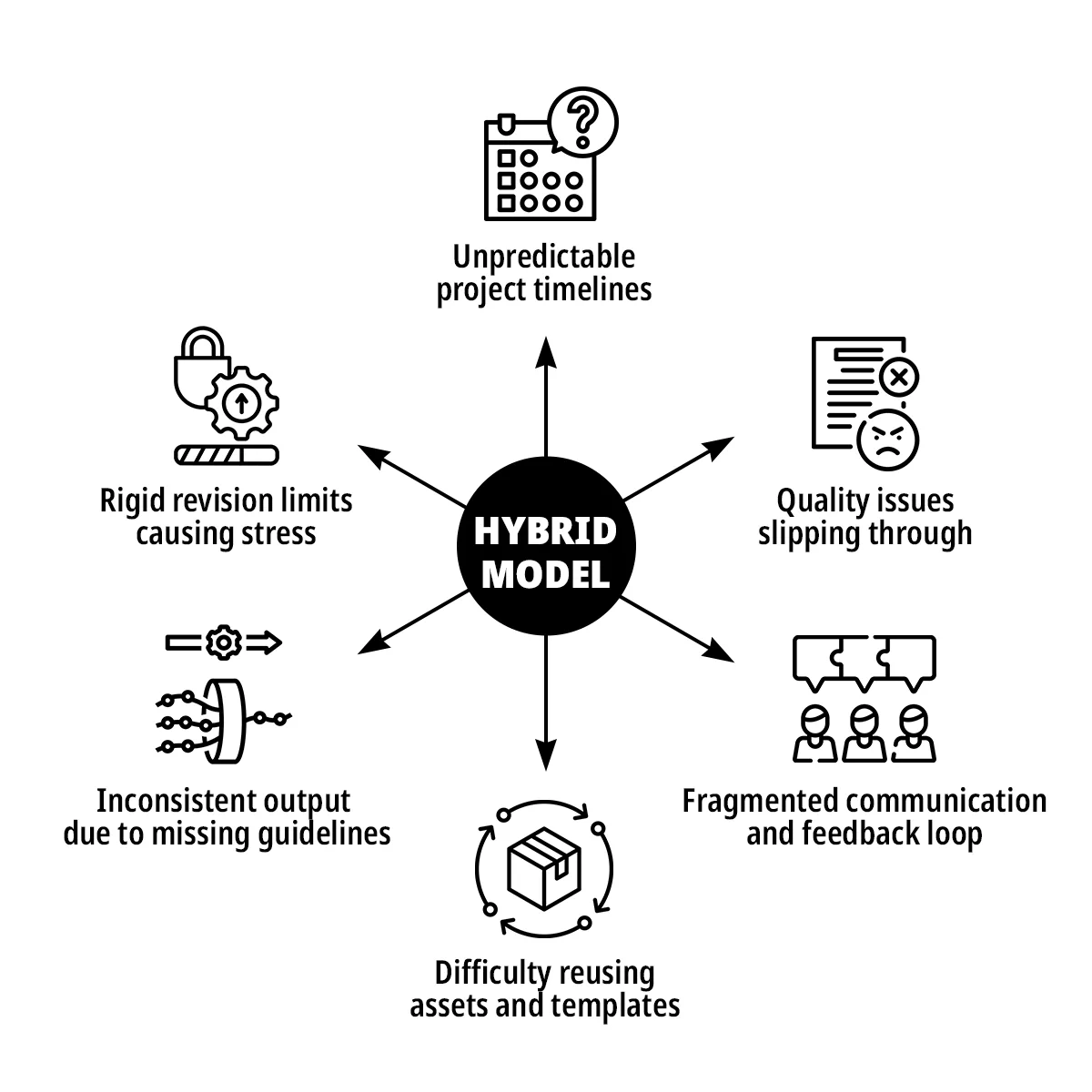
While the data shows clear differences between production models, many of the same frustrations persist across the industry. The next section outlines these recurring pain points – and how our hybrid system directly addresses them.

Pain Points and Our Solution

Architects’ Challenges
Traditional 3D production often lacks cohesion and efficiency.

Core Pain Points

  • Limited revisions and rigid workflows
  • Slow communication and unclear updates
  • Inconsistent visual style
  • Full briefs required before starting
  • Weak project management and delays
  • NDA and data security risks

Why Others Fall Short

  • No flexible resource allocation
  • Disconnected processes and standards
  • Poor BIM-to-3D integration
  • Generic real-time visuals
  • Limited scalability

Our Solution

  • Unified online platform for communication and project tracking
  • Centralized knowledge base and style standards
  • Shared asset library for faster, consistent setups
  • Structured PM cycle with SLAs, QA, and automated rendering
  • Flexible revisions and the ability to start with partial briefs
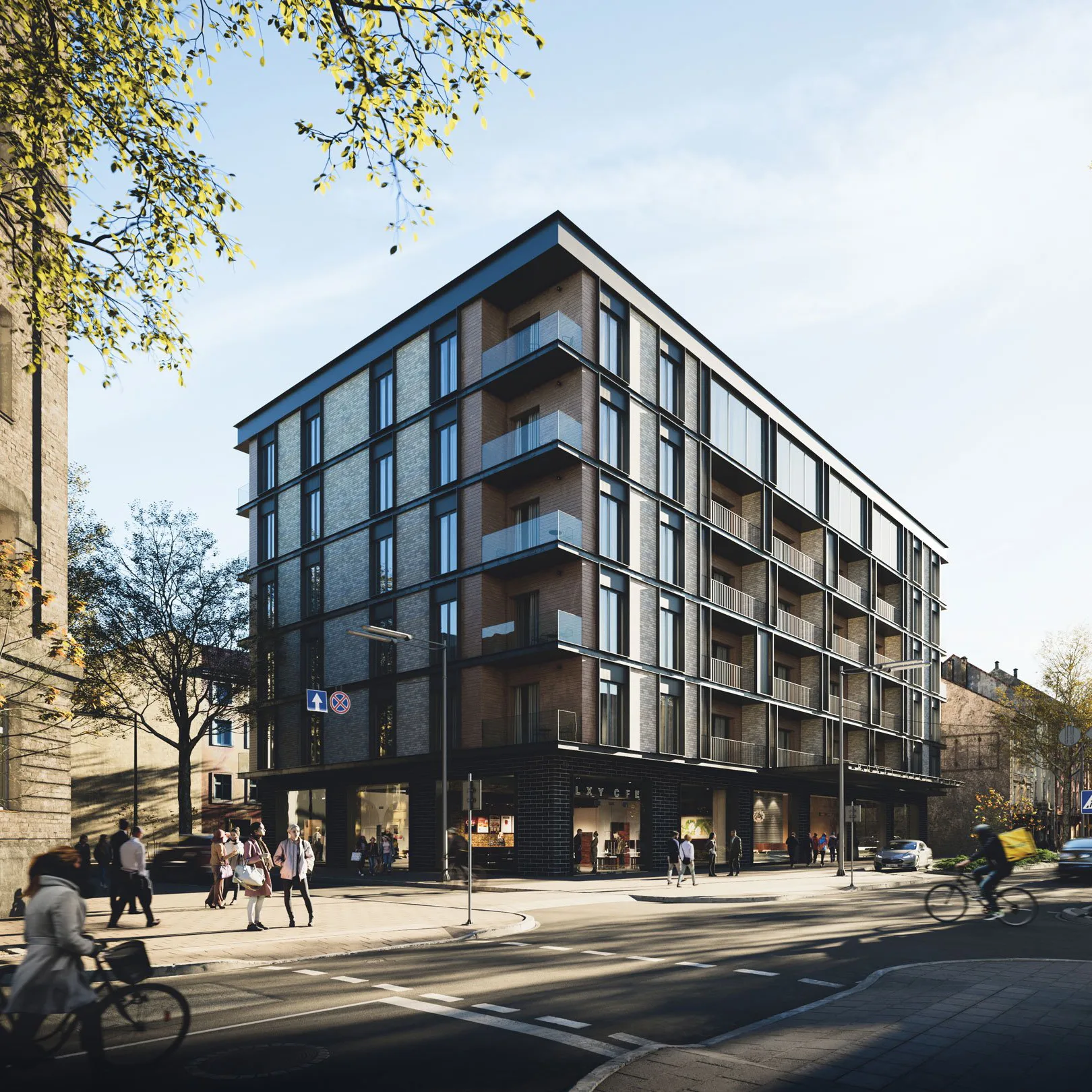
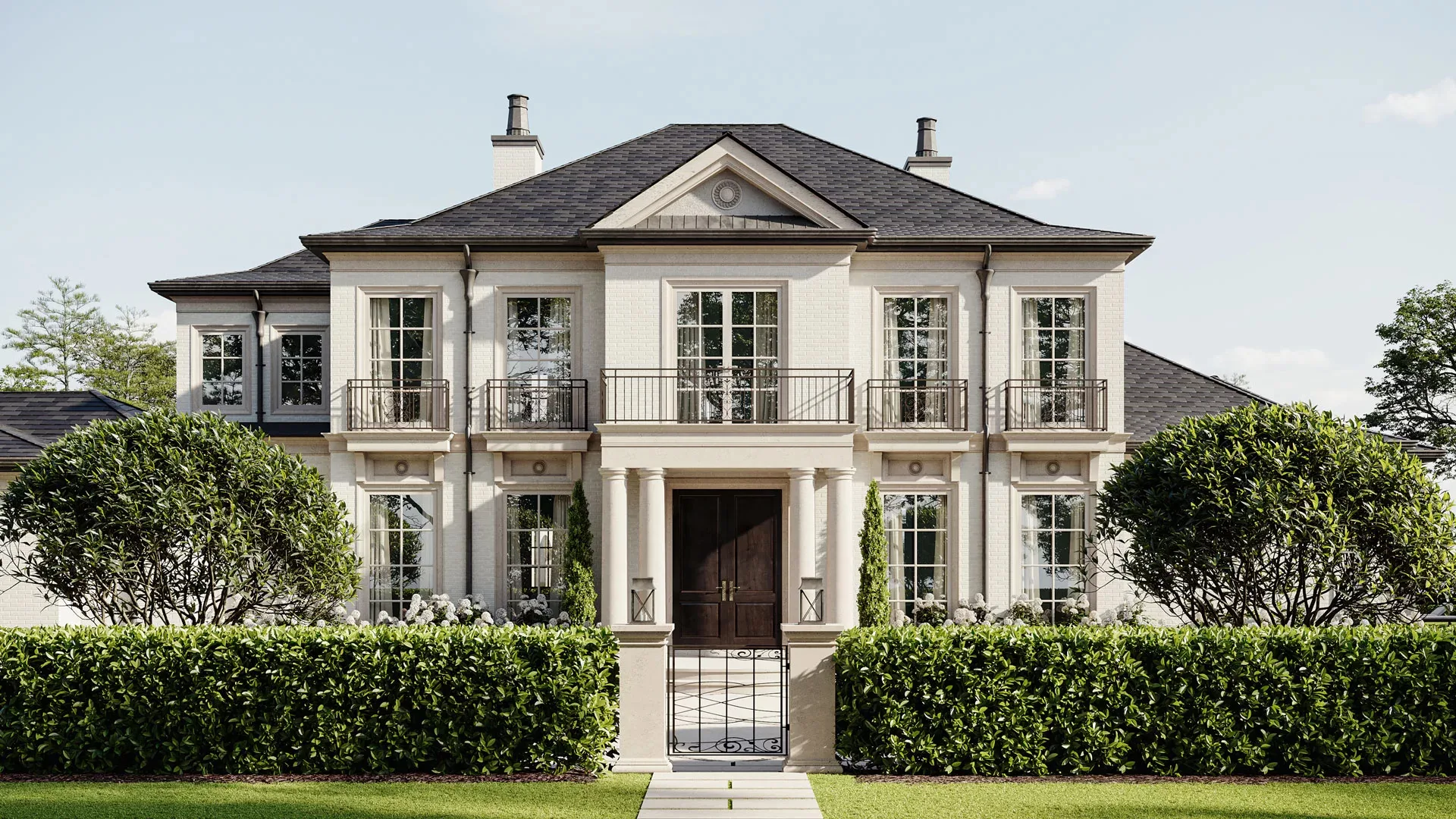
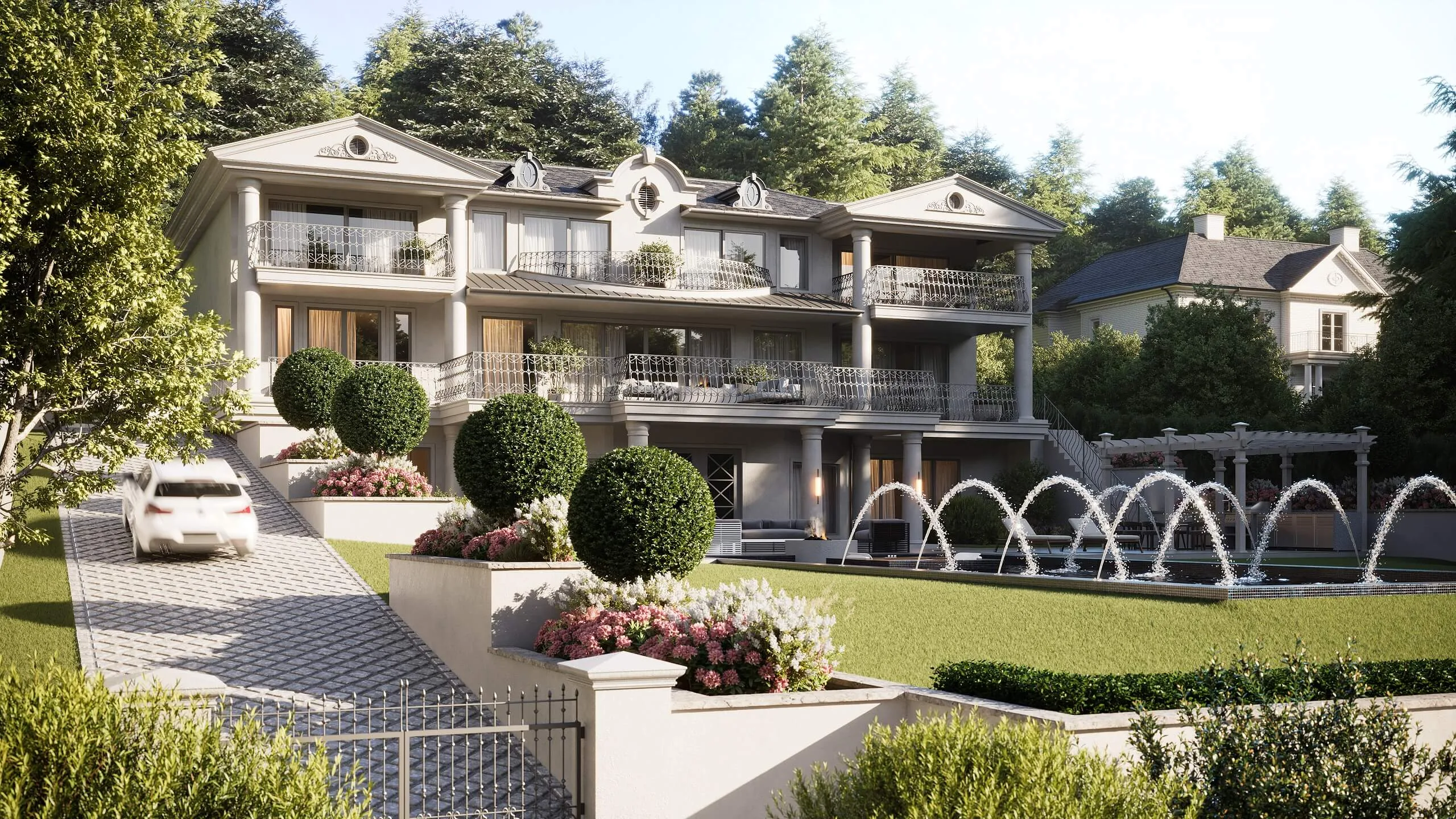
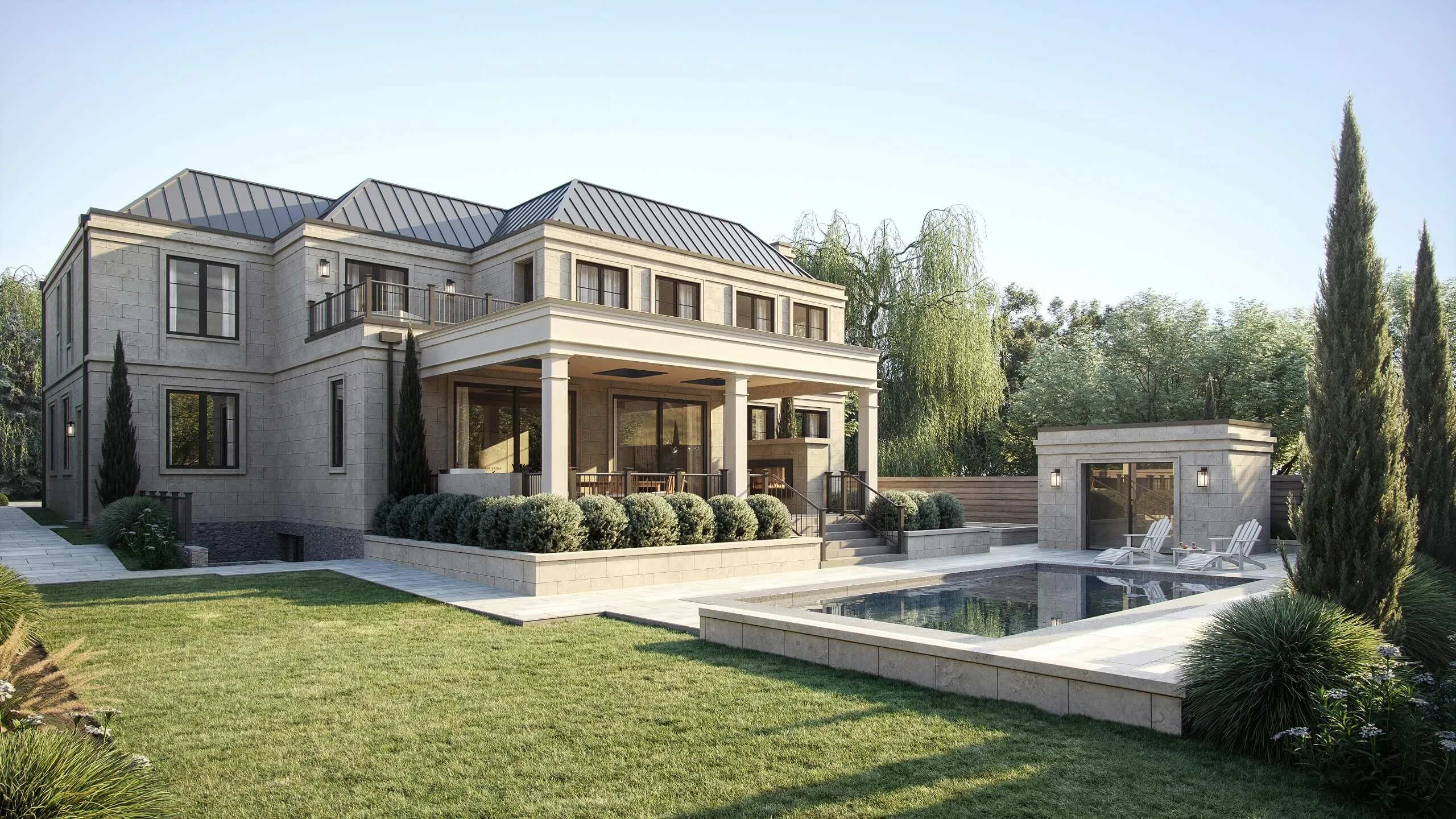
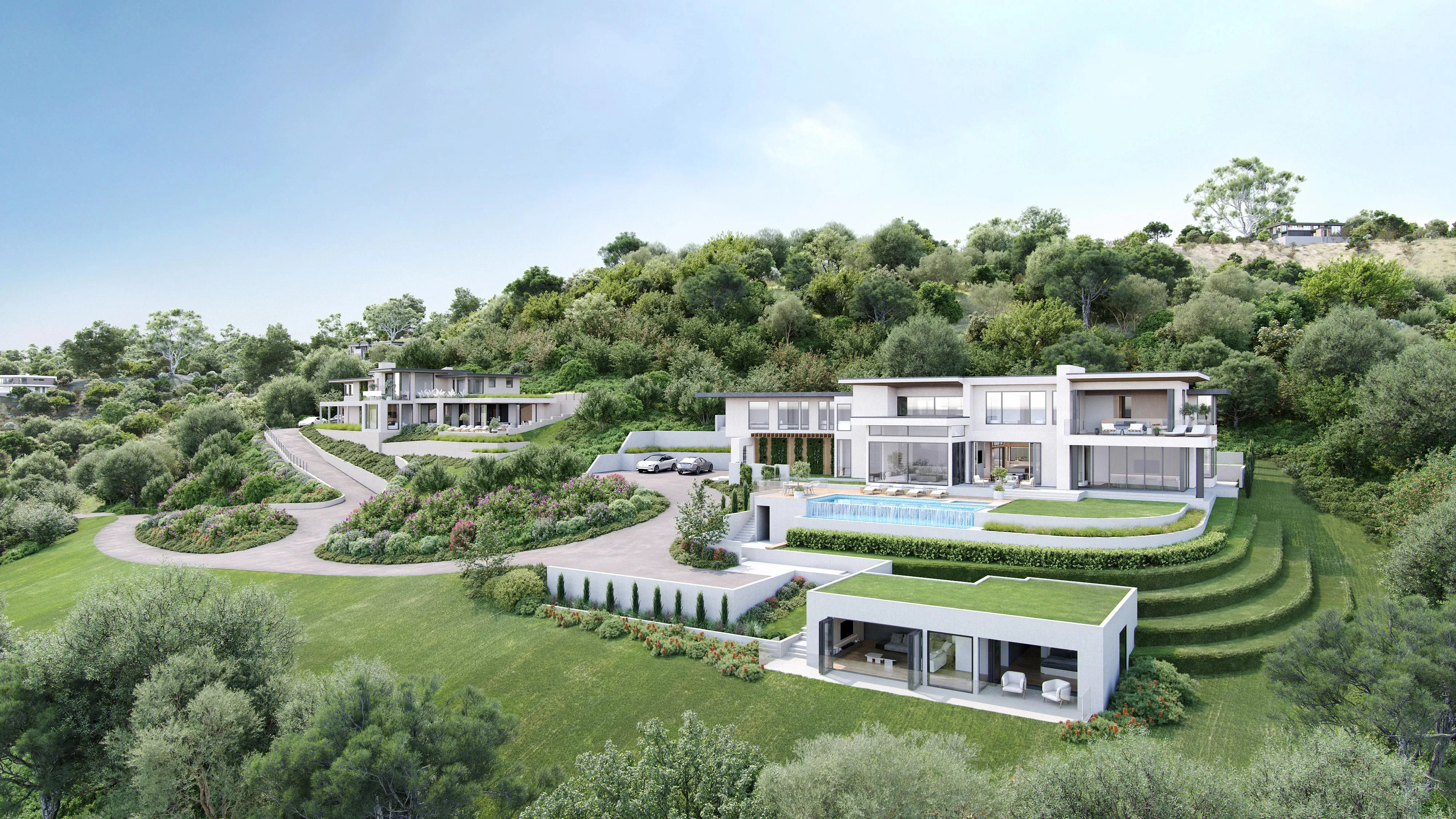
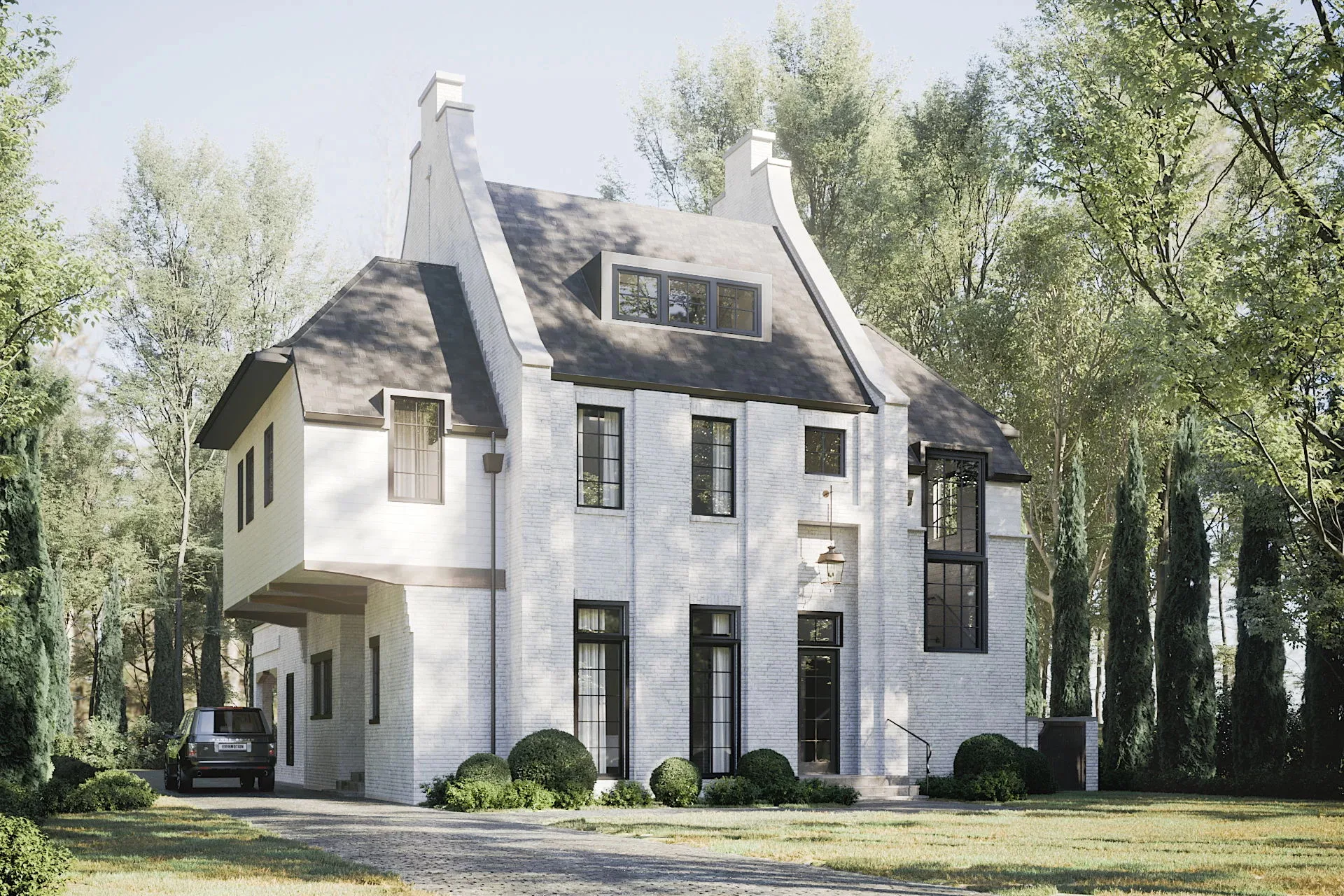
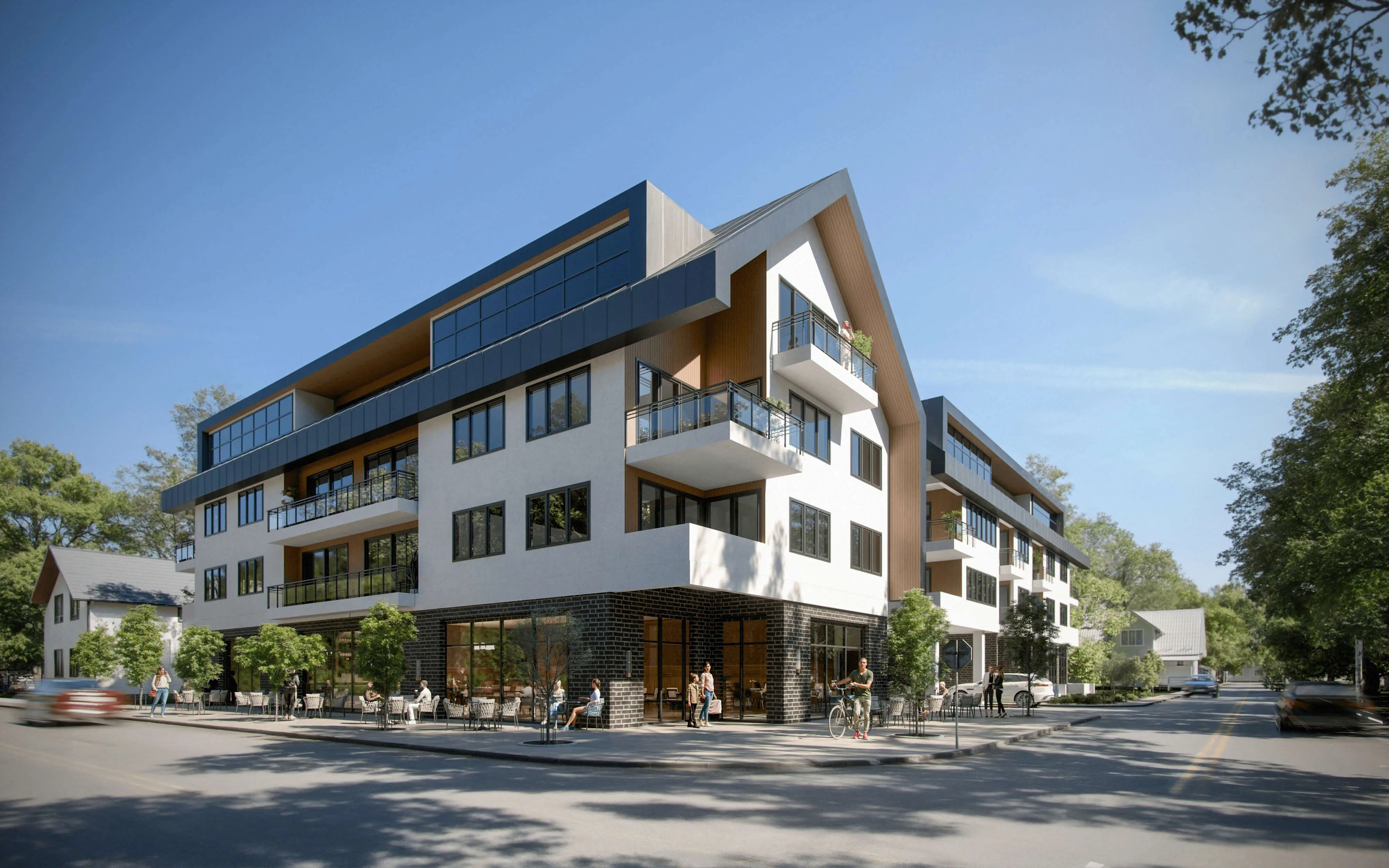
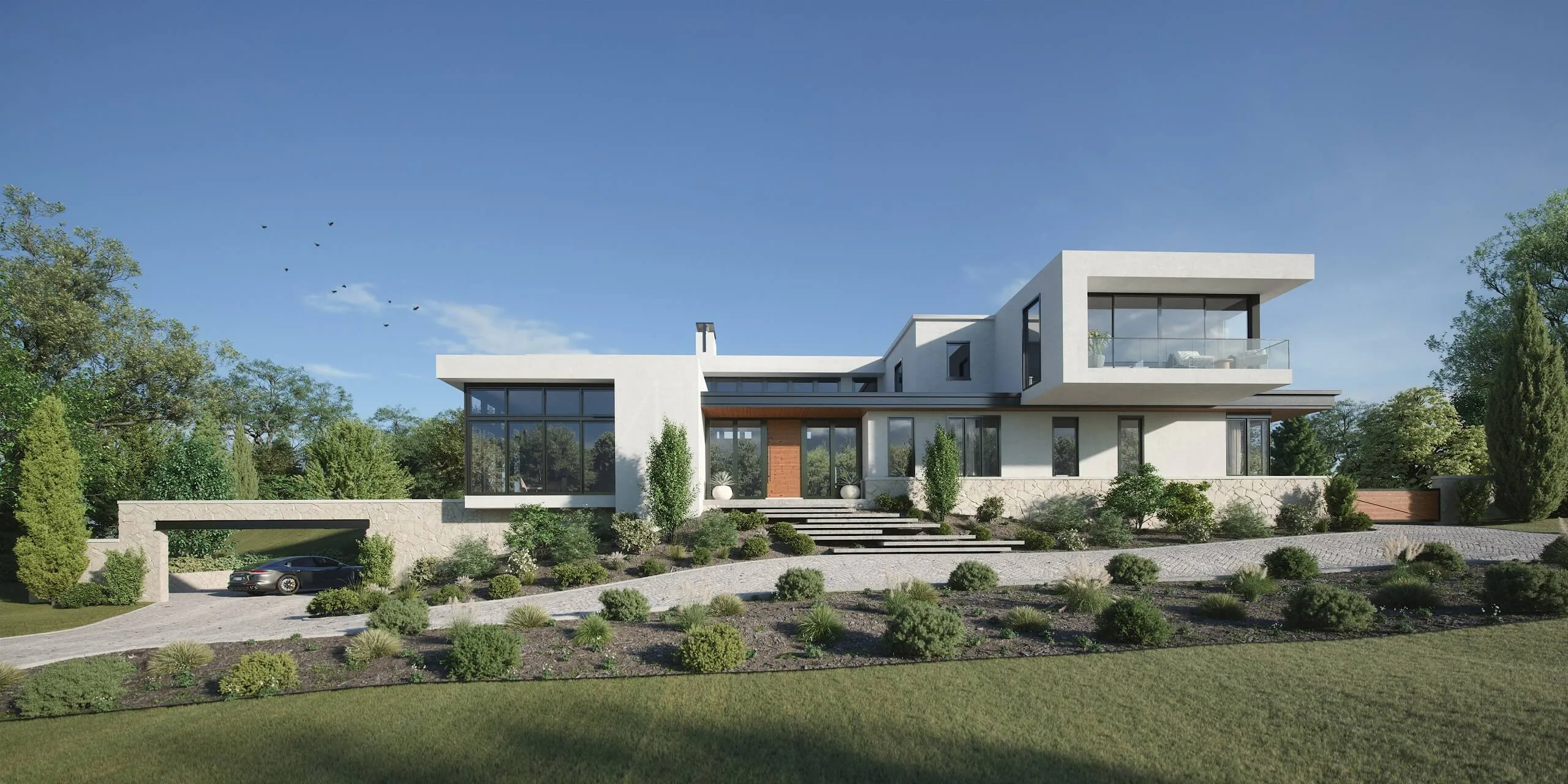
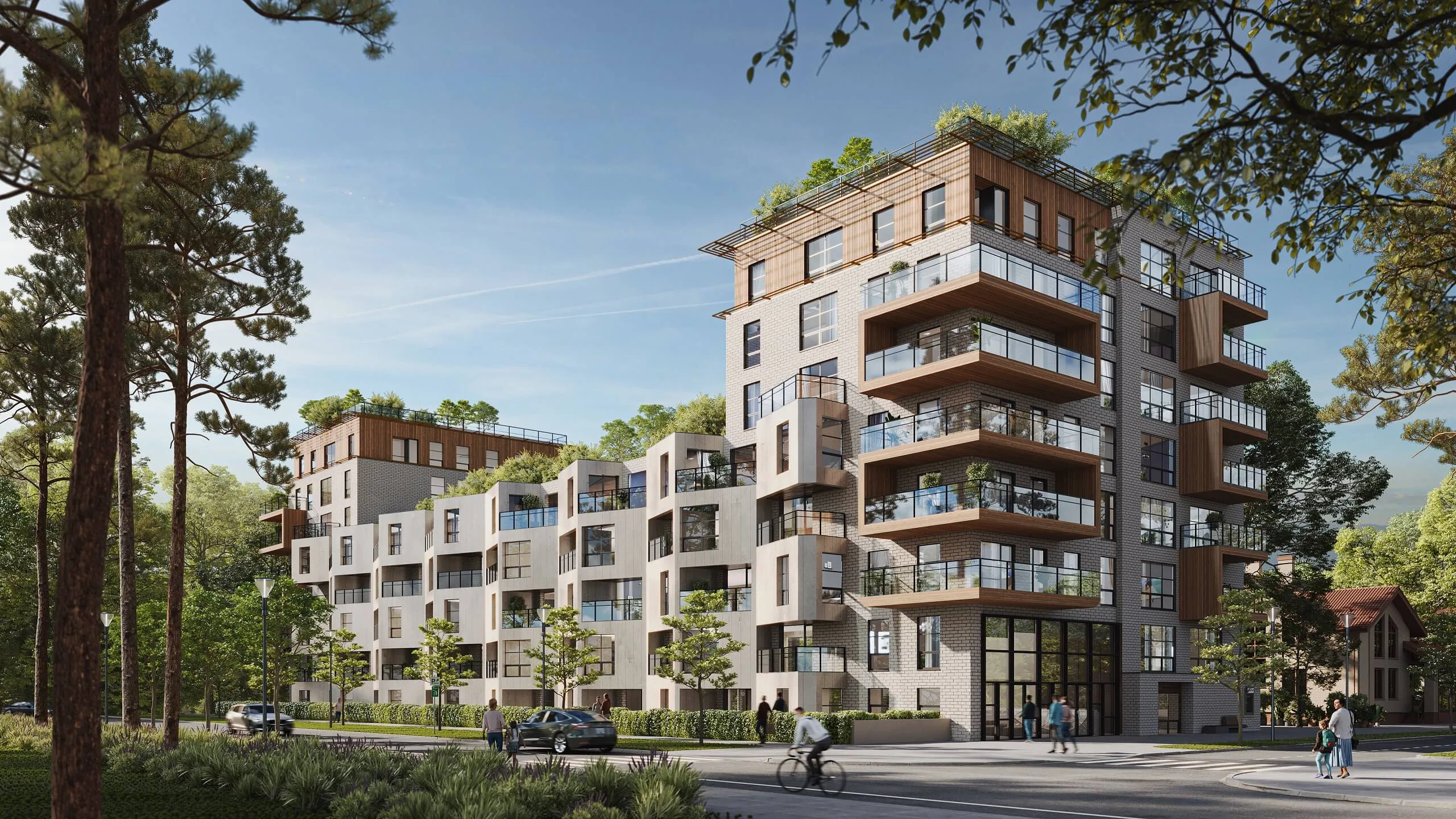
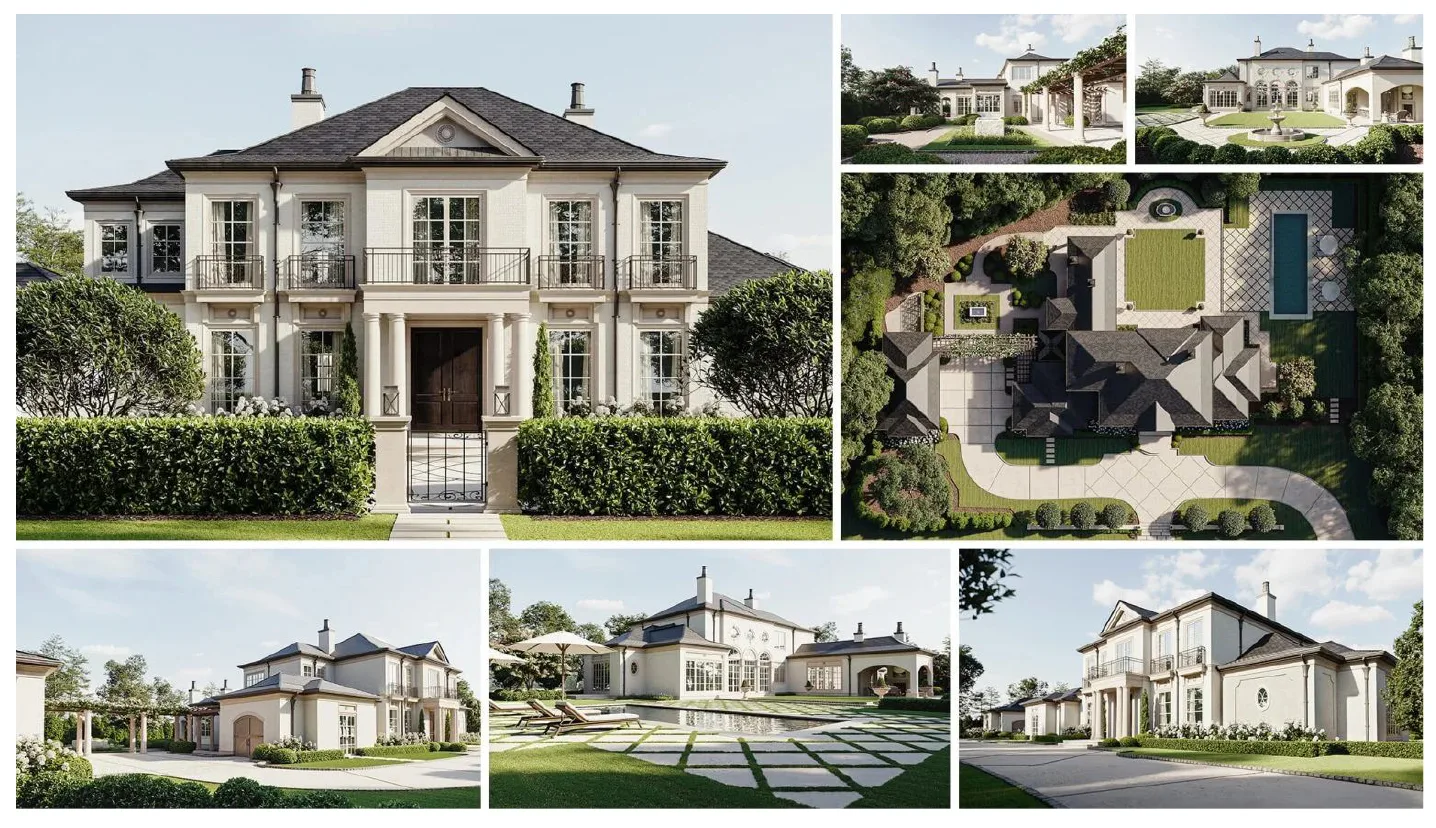
Photorealistic exterior 3D rendering

Comparison by Key Metrics

Metric In-house Freelancers Agency Hybrid
Turnaround Time (Speed) → (moderate) ↑ (fast) ↓ (slow) ↑ (fast)
Scalability ↓ (limited) ↑ (high) ↑ (high) ↓ (high)
Quality / Consistency ↑ (high) ↓ (varied) ↑ (high) ↑ (high)
Manageability (PM / QA) ↑ (high) ↓ (low) → (moderate) ↑ (high)
Cost (TCO) ↑ (high) ↑ (low) ↑ (high) → (optimized)
Edit Flexibility ↑ (unlimited) ↑ (flexible) ↓ (restricted) ↑ (unlimited)

Result: Our hybrid system merges in-house control and freelancer agility with agency-grade quality and scalability.

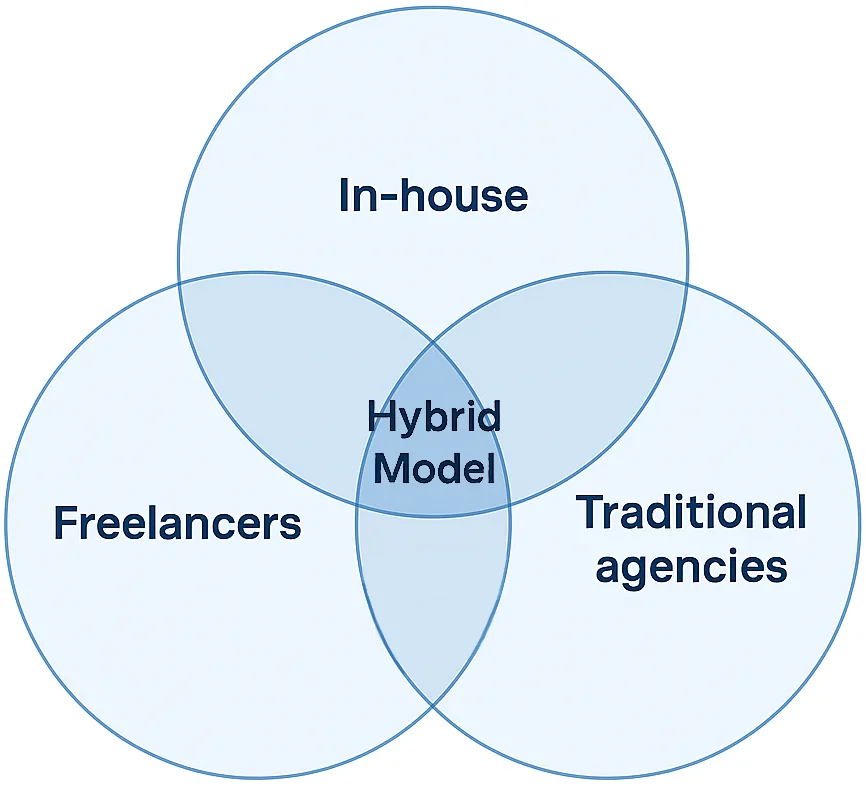
Combined Strengths (Hybrid Model)

Our hybrid approach unites the best aspects of every production model into one efficient, scalable system:

  • In-House Teams: Ensure creative control, immediate feedback, and brand consistency — but face limits in volume and speed.
  • Freelancers: Provide flexibility and competitive pricing — yet often lack consistency and structured oversight.
  • Traditional Agencies: Deliver premium quality and capacity — but at higher cost and slower turnaround.

Our Hybrid Model: Merges agency-grade quality and scalability with in-house agility and freelancer adaptability.

Combined Strengths (Hybrid Model)

Pain → Solution Cards

Below are representative “pain → solution” snapshots for common architect concerns:

Pain Solution
Fragmented communication and slow feedback Centralized platform for all mark-ups, boards, and calls.
Inconsistent visuals Unified style guide + shared asset / material library.
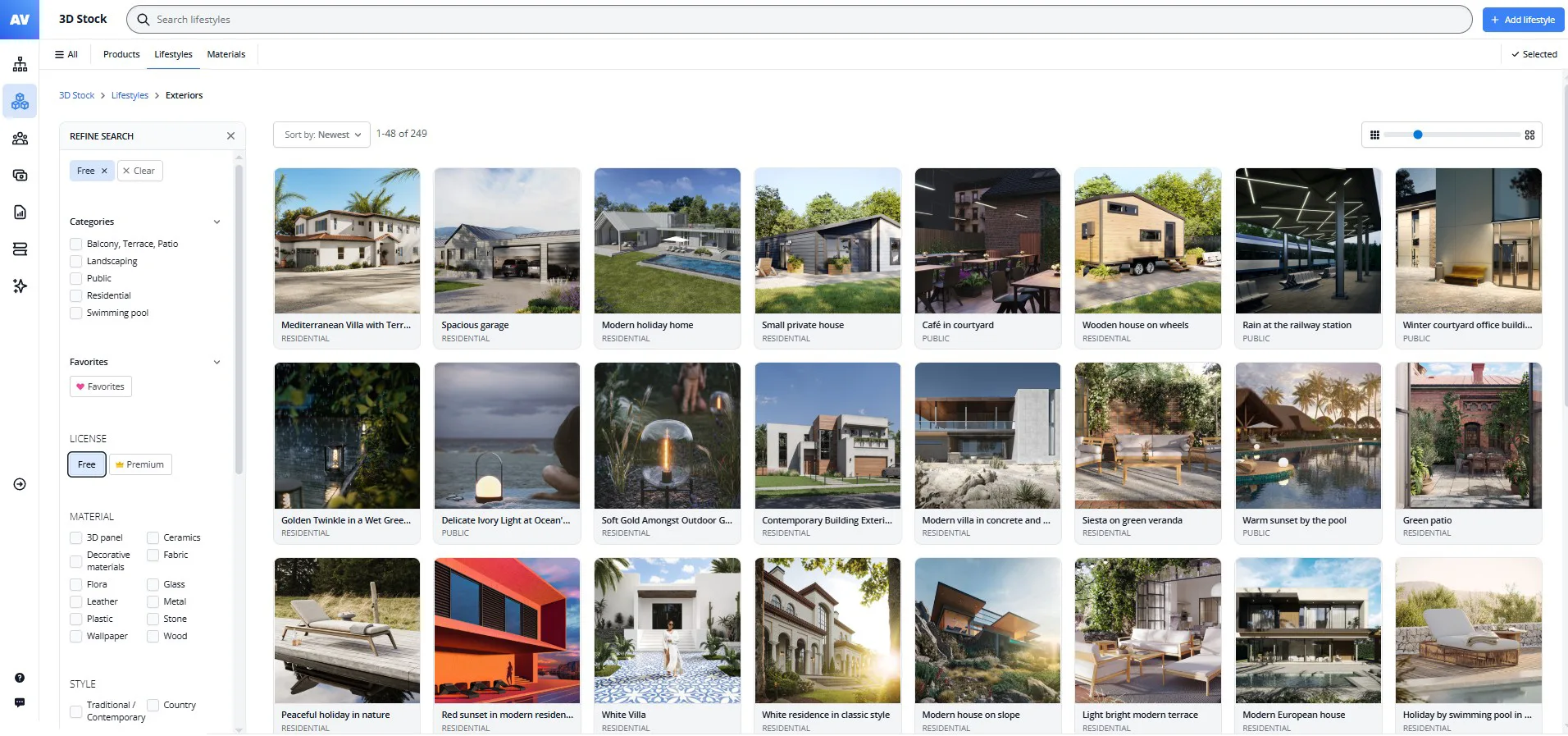
Asset reuse difficult The curated 3D library enables fast, consistent starts.
Unpredictable timelines Defined sprint cadence with milestones and check-ins.
Quality issues slipping through Mandatory QA reviews at each stage.
Long rendering times Automated render farm accelerates previews and finals.
Rigid revision limits Unlimited edits within sprint scope, no surprise fees.

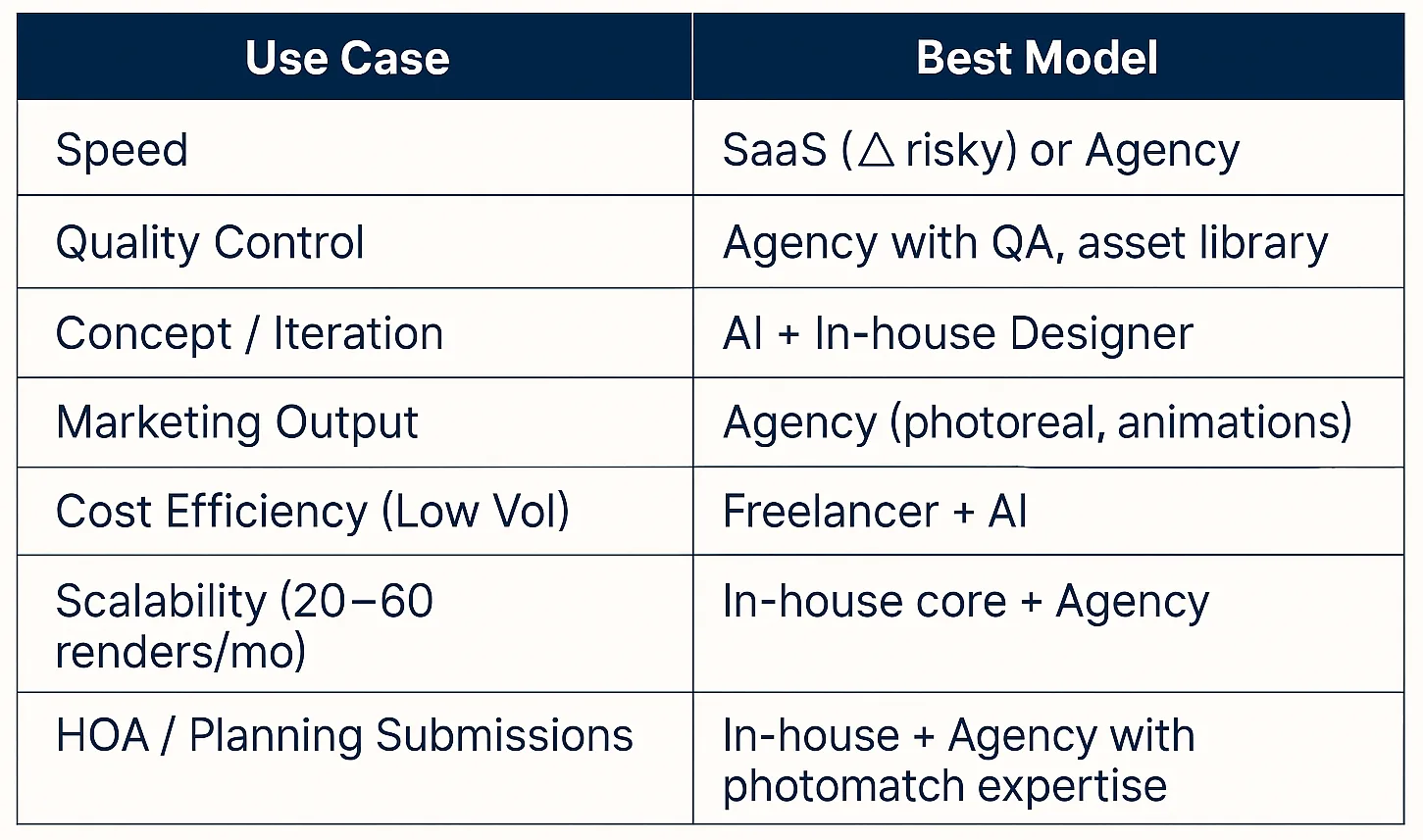
Final Ratings (Best per Need)

Business Benefits for Residential Architects

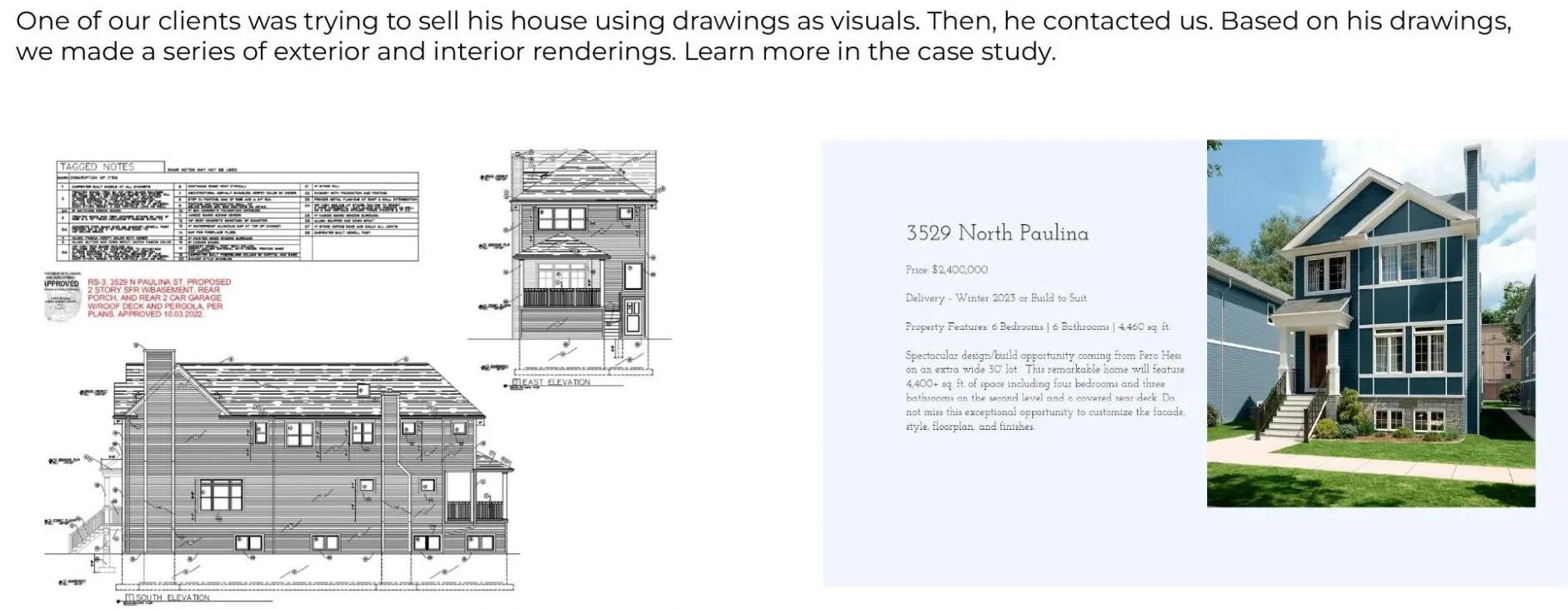
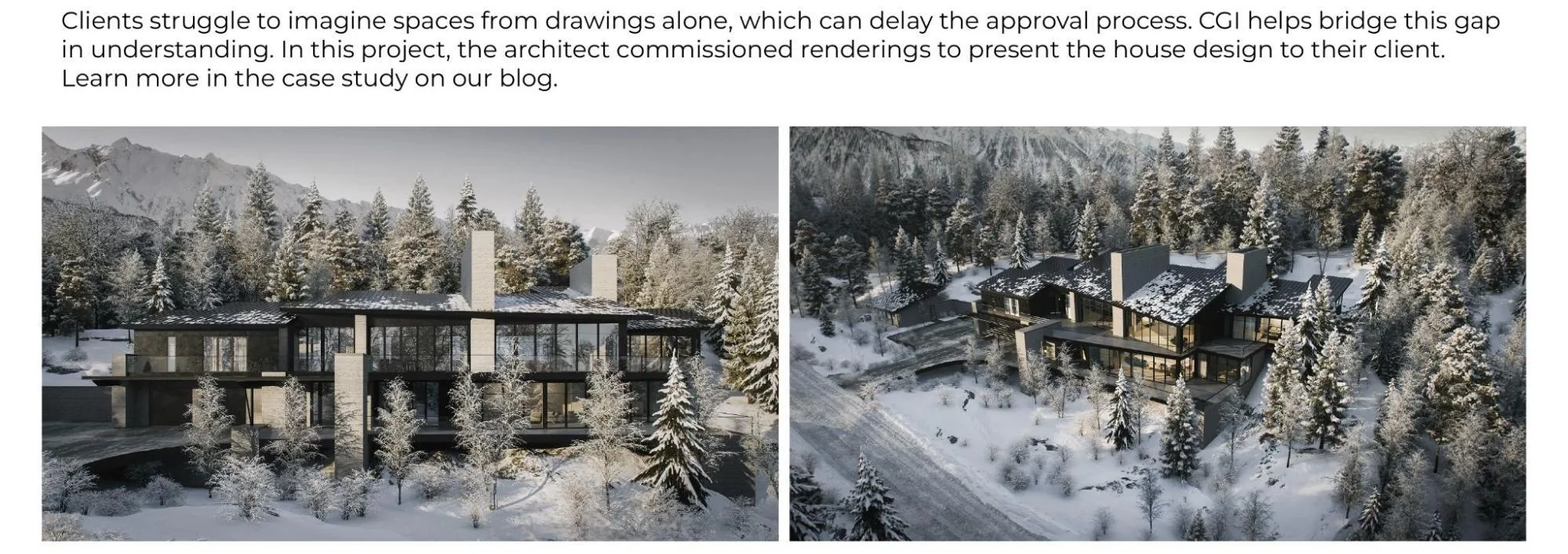
1) Faster Client & Planning Approvals

  • Problem addressed: Drawings lack clarity.
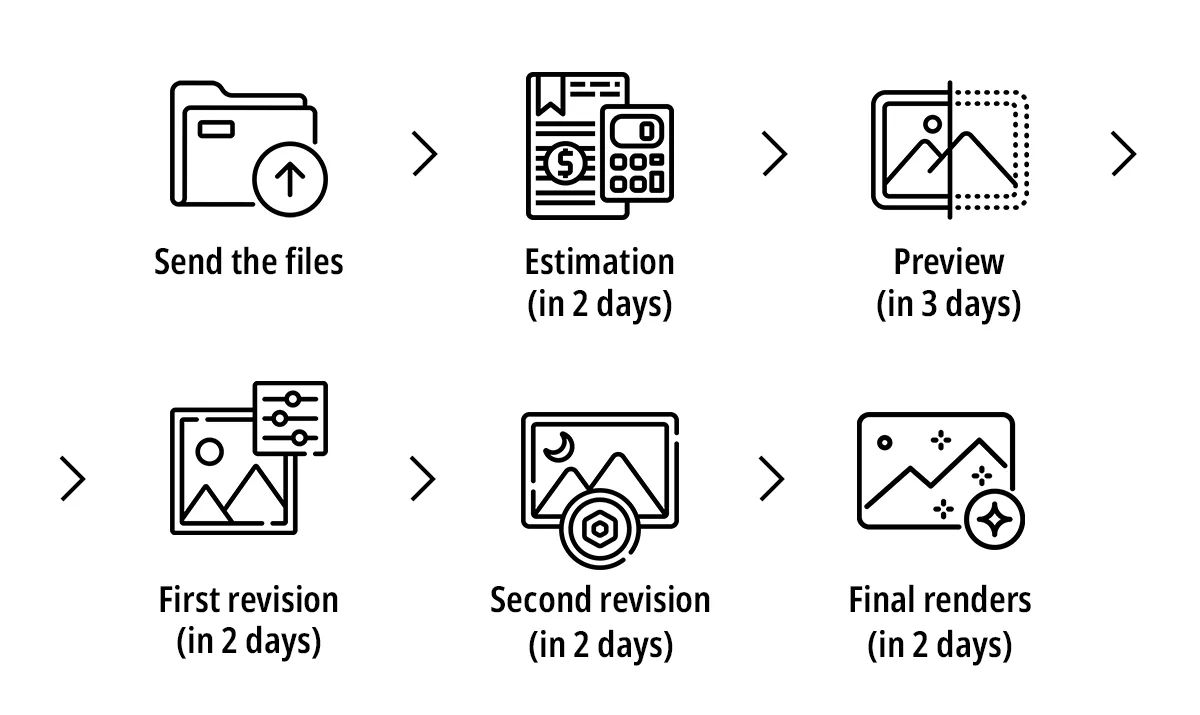
  • Benefit: Photoreal visuals shorten approval cycles (preview 3 days, revisions 2).

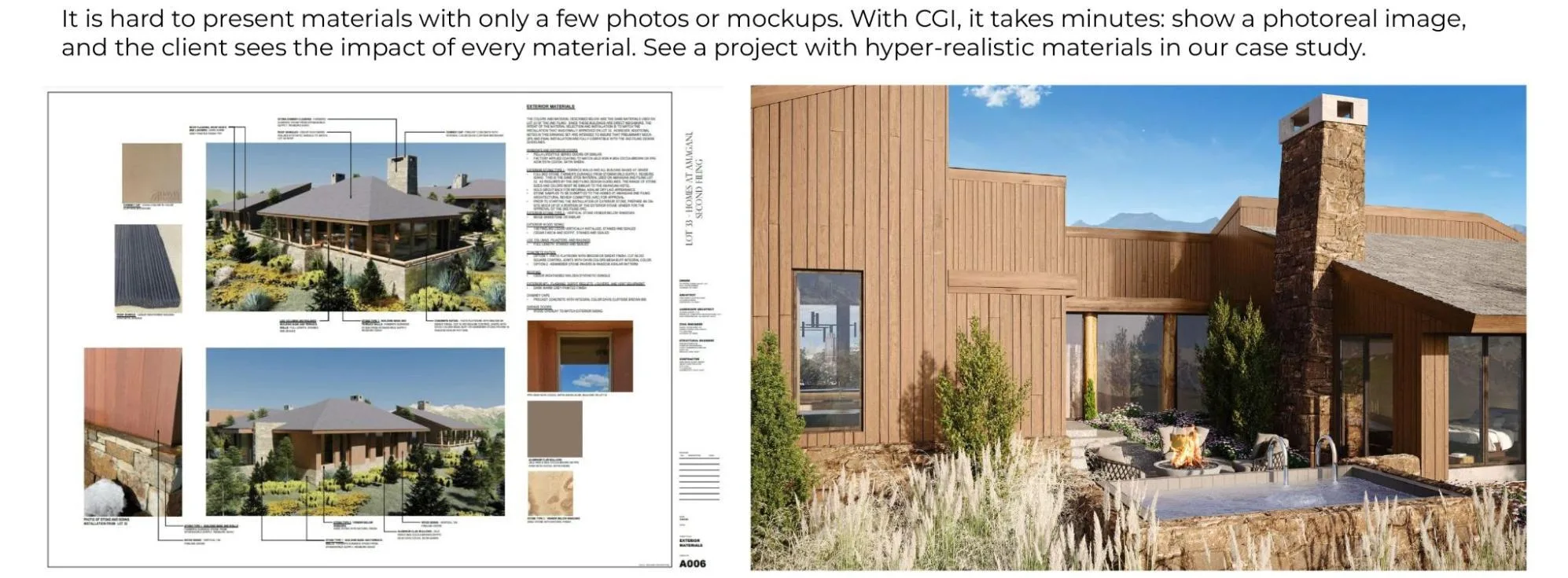
2) Confident Decisions on Materials & Finishes

  • Problem addressed: Few physical samples.
  • Benefit: Realistic CGI previews accelerate finish selection.

3) Shorter Sales Cycles

  • Problem addressed: Marketing waits for the build.
  • Benefit: CGI enables pre-sales and early listings.

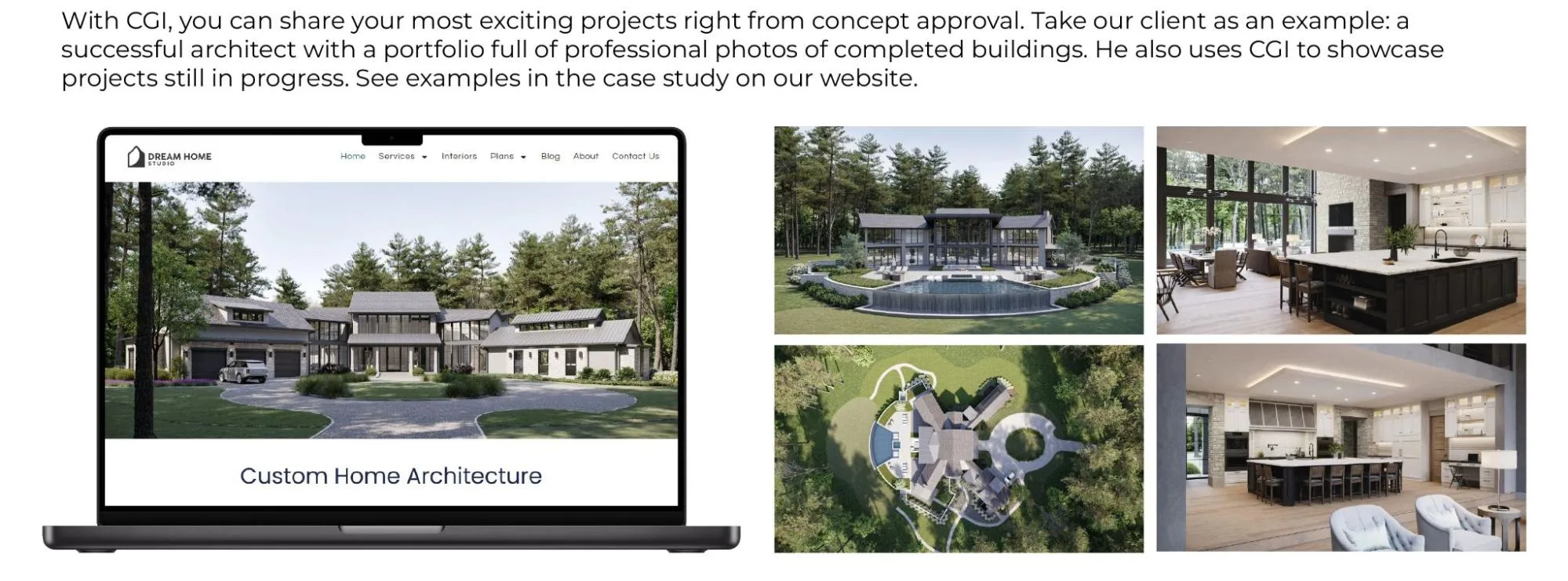
4) Portfolio Before Build

  • Problem addressed: No photos pre-completion
  • Benefit: Use CGI for active, seasonal marketing.

5) Developer Alignment

  • Problem addressed: Drawings miscommunicate scale
  • Benefit: 3D renders clarify massing and style.

6) Always-On Marketing

  • Problem addressed: Content gaps until handover
  • Benefit: Continuous CGI stream for web and social.

Solutions Portfolio & What They Enable

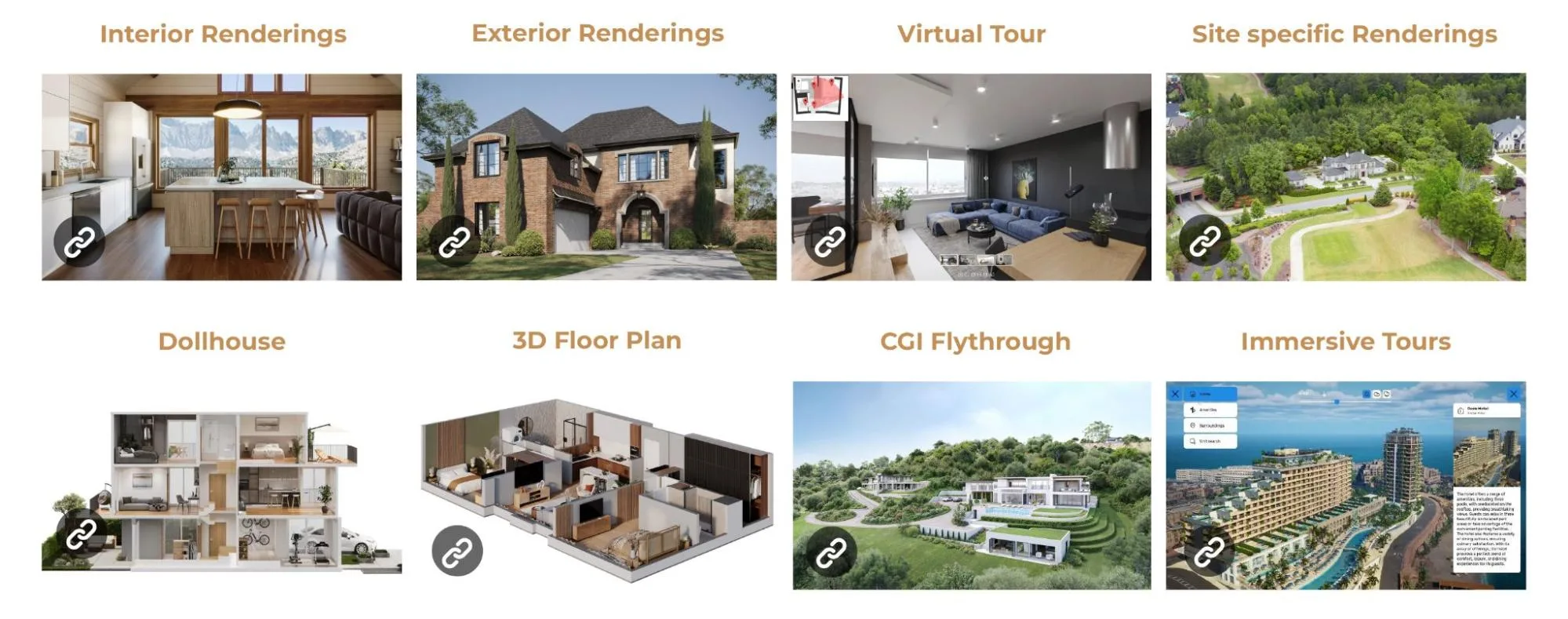
  • Interior Renderings / Exterior Renderings → approvals, material choices, marketing hero shots.
  • Virtual Tours / Immersive Tours → interactive client walkthroughs; remote buy-in.
  • CGI Flythrough → cinematic persuasion for boards, investors, and sales.
  • Dollhouse & 3D Floor Plans → quick spatial understanding for clients and sales teams.
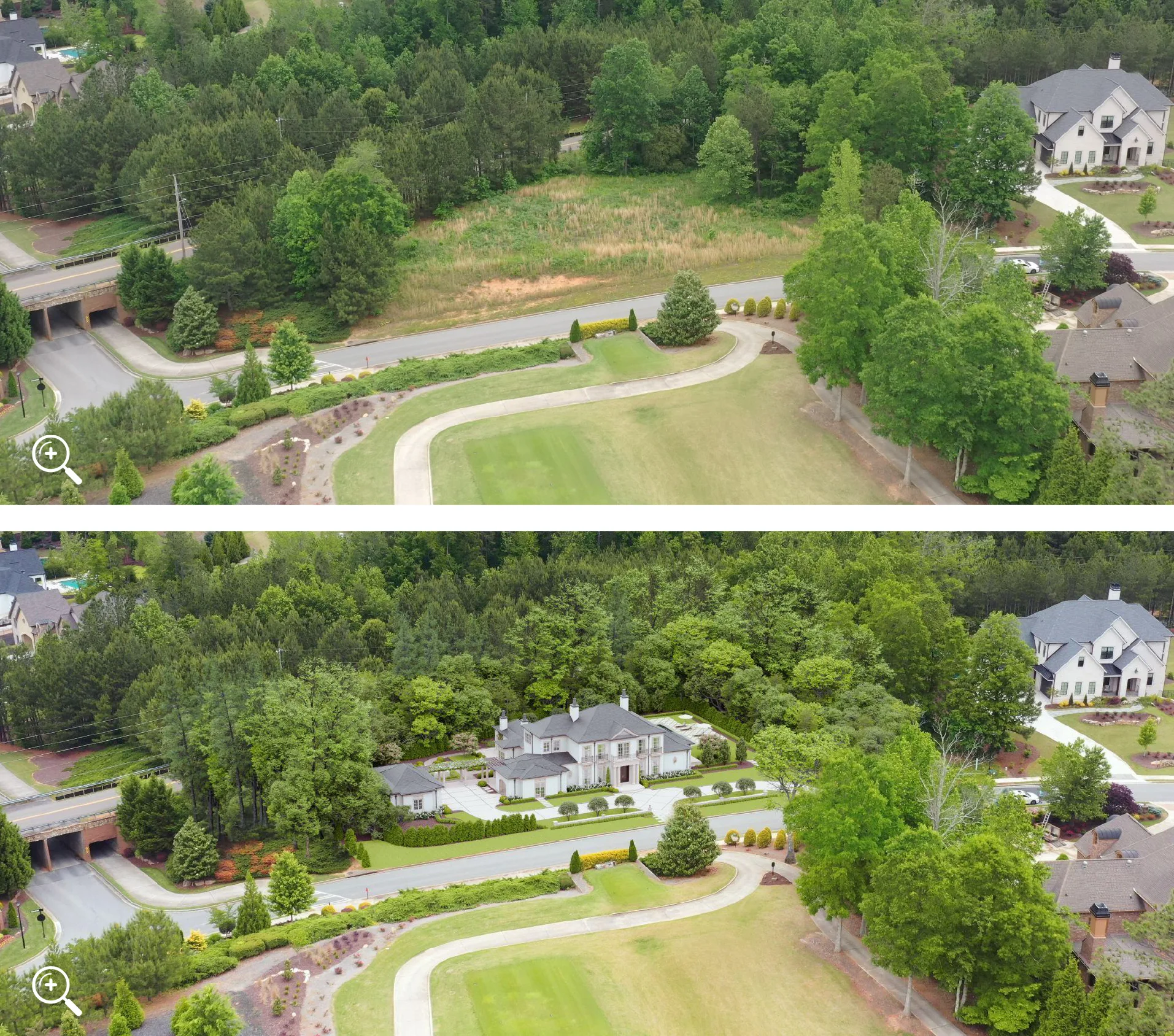
  • Site-Specific Renderings (with drone photo) → realistic context for planning/HOA.

How We Work

Capacity, Quality Control & Risk Reduction

  • Scale on demand: 600 specialists with 240 senior 3D artists (5+ yrs) enable parallel production and deadline coverage.
  • Consistency: Dedicated Art Director + CGI PM maintain visual standards and stakeholder alignment.
  • Speed & reuse: 100K+ model library (furniture/props) reduces setup time and ensures brand-level consistency.
  • Trust & proof: Recognized by leading brands; public reviews available.

Why This Matters to Your Practice

Conclusion

Residential architects today have many visualization options — from quick BIM outputs to photoreal renders and immersive tours — yet no single approach meets every need.

In-house teams lack scalability, freelancers risk inconsistency, agencies add cost, and AI tools still miss project-specific accuracy.

A hybrid model works best: a small in-house unit for creative direction and QA, paired with a visualization agency for production and polish.

This setup combines control, speed, and scalability, ensuring consistent, high-quality visuals from concept to marketing while keeping budgets and timelines in check.

Cover image for the Commercial CGI & Product Rendering Guide. Minimalist interior with designer chair, low table and decor, done in a warm color scheme.

Get the Architectural CGI & 3D Rendering Guide for Architects, Designers & Developers

Everything you need to visualize and present real estate projects with CGI.

Get expert insights, real project examples, and visualization strategies that boost client approval and sales.

Fill out the form to receive the guide directly in your inbox.