Now that we’ve cleared up the common myths about 3D rendering, let’s talk about what actually happens when you start a project. If you’ve never outsourced 3D rendering before, the technical side probably isn’t your first concern — that comes later, in the production process chapter. What you really want to know is how the cooperation works. Who will be your point of contact? How often will you see updates? What happens when you need changes? When and how do you pay?
This chapter covers what working with a CGI studio looks like from your side: your team, communication, feedback, milestones, and delivery. Think of it as a client’s-eye view of how a project runs at ArchiCGI.
Getting started is simpler than most first-time clients expect. You don’t need a polished package of materials — an inquiry through our contact form, email, or a booked call is enough to open the conversation.
From there, you’ll share whatever you have: floor plans, sketches, reference images, style preferences. Some clients come with a full set of architectural drawings; others start with a mood board and a rough idea. Both work. For a detailed walkthrough, see our guide on how to fill out a project brief.
Once we have your materials, a client manager reviews the scope and prepares a quote covering cost, timeline, and deliverables. If you want to understand how we estimate cost, we break that down separately. After you approve the quote, a dedicated PM is assigned to your project, and the 3D team gets to work.
The whole sequence — from inquiry to kick-off — typically takes a few business days, depending on project complexity.
Ready to start? Submit your project brief or book a free demo to see how it works.
When you work with a CGI studio, you’re working with a team — but you won’t need to coordinate between them yourself. Here’s who’s involved and what each role means for you.
In short: your client manager owns the relationship, your PM owns the project, and the creative team owns the visuals. You always know who to contact and why. For more on how to choose a CGI studio, see our dedicated chapter.
You don’t need to be available around the clock. ArchiCGI works async-first — meaning you respond when it’s convenient, and nothing stalls while you’re offline.
Your channels. Day-to-day communication runs through the client portal, where you can check project status, download files, leave feedback, and view payment history — all in one place. The portal also includes a library of available 3D assets you can browse when specifying materials, furniture, or finishes for your scene. Email works too, and your PM can arrange a call whenever a conversation is easier than a comment thread.
How often you’ll hear from us. During active phases — modeling, revisions, final delivery — expect daily updates from your PM. During slower stretches, you’ll get weekly check-ins so you’re never left wondering where things stand.
Timezones. ArchiCGI’s team is distributed, which means there’s coverage across time zones. Your PM aligns their schedule to overlap with your working hours. You won’t wake up to silence — there’ll be progress and updates waiting for you.
Response time. Your PM responds within one business hour during working hours. If something needs your input, you’ll get a clear ask — not a chain of vague follow-ups.
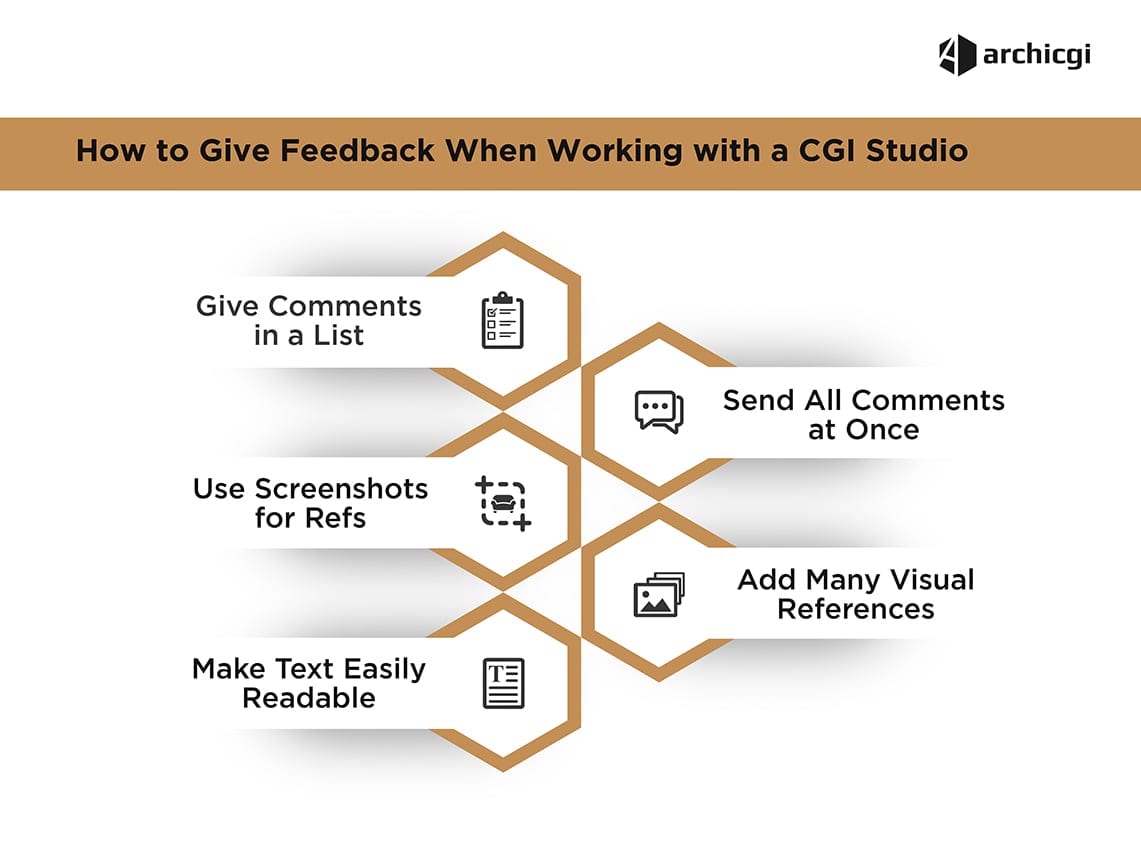
For more on how the feedback exchange works in practice, see our guide on how to give effective feedback.
Revisions aren’t a surprise cost — they’re a built-in part of every project. Each ArchiCGI project includes revision time equal to 60% of the total project hours, so there’s real room to refine the result without worrying about extra charges. If you do exceed that allowance, additional revisions are usually billed on an hourly basis — but your PM will flag when you’re approaching the limit, so there are no surprises.
When you give feedback matters. Your project moves through review stages, and catching things early saves time and money:
- Clay/grayscale render — geometry, layout, camera angles. This is the cheapest moment to change anything structural.
- Colored proof — materials, lighting, mood. Adjustments here are straightforward.
- Final render — polish and details. Small tweaks are fine; major changes at this stage cost more.
What’s a revision vs. a new request
Not every change is the same. Here’s where the line falls:
Scope changes are always quoted and approved by you before any work begins. No surprise invoices.
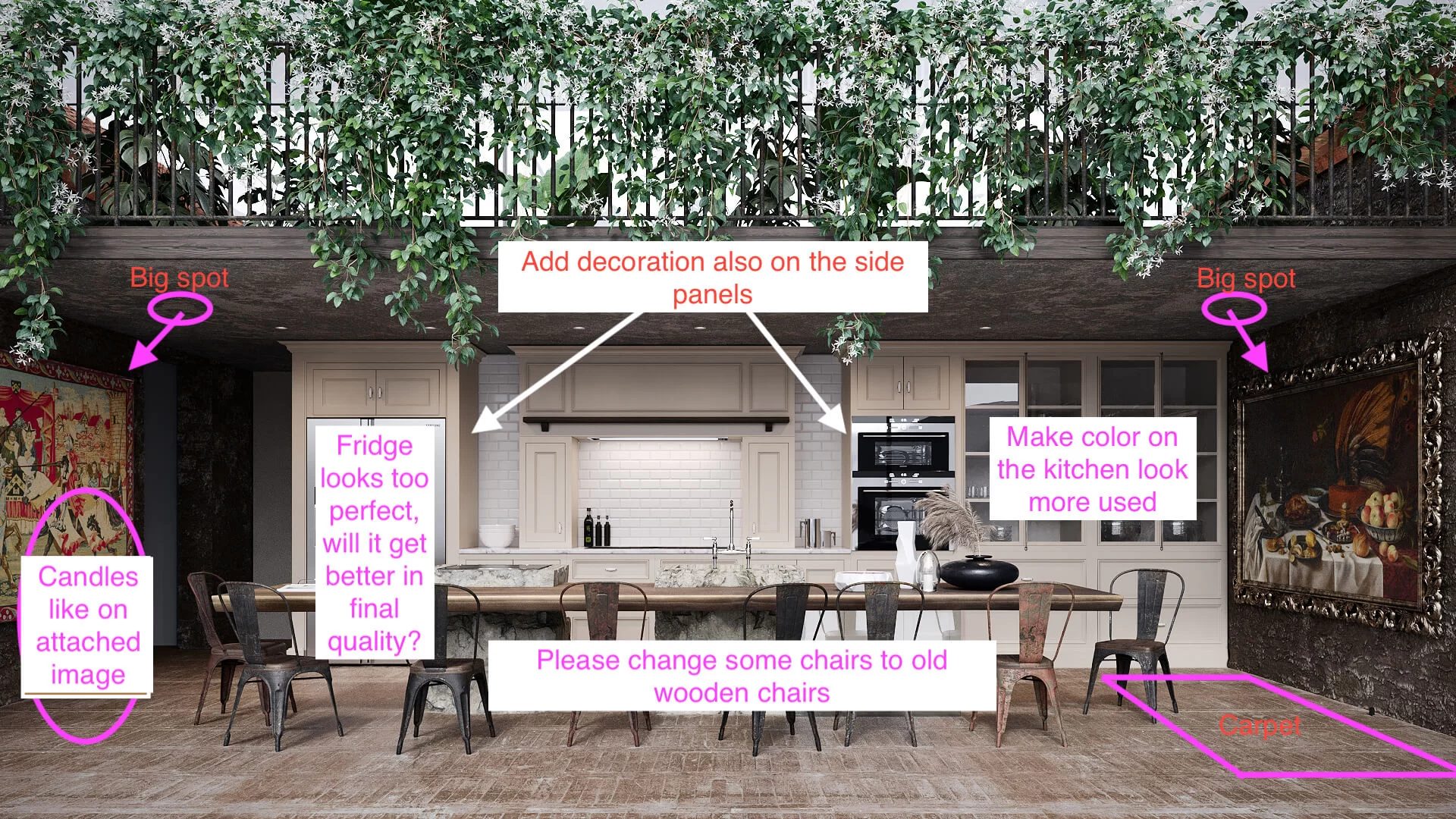
How to give actionable feedback
The clearer your feedback, the fewer rounds you’ll need. For a full walkthrough on structuring your feedback, see our guide on how to give effective feedback.
Every project follows the same milestone structure, so you always know what’s coming next and when you’ll need to act.
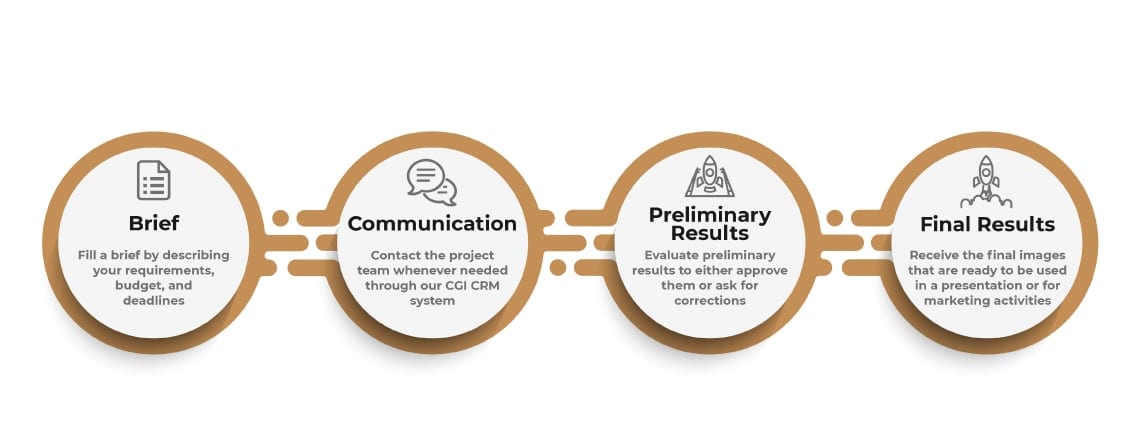
The milestone path. Your project moves through five key points: brief submission, kick-off, clay/grayscale approval, colored proof approval, and final delivery. At each approval point, you review the work and give your PM the green light — or feedback — before the team moves forward. Nothing advances without your sign-off.
Payment terms. ArchiCGI works on a 50/50 split: 50% at kick-off, 50% before final delivery. No mid-project invoices, no hidden fees. For details, see how we estimate cost and project timelines.
What you receive. Standard delivery is 4K JPG — suitable for presentations, marketing, and print. Need a different format or resolution? Just let your PM know upfront. For animation projects, delivery is typically MP4 or MOV. If your project requires layered PSD files or specific print-ready formats, those can be arranged on request.
Ownership. All 3D content created within your project belongs solely and exclusively to you. Full usage rights transfer on delivery — marketing, sales, social media, print, whatever you need. No licensing restrictions, no usage fees down the line.
After delivery. There’s a revisions window after final delivery in case you spot anything that needs adjusting once you see the renders in context. Your PM will confirm the exact window at kick-off, so you’ll know how long you have before the project formally closes.
A smooth CGI project is a two-way street. Here are the habits that consistently make the difference between a stressful experience and an easy one.
Most of this comes down to one principle: the clearer and earlier your input, the smoother — and cheaper — the project runs.
That covers the cooperation side — how your project is organized, who you work with, and what to expect at every point from brief to delivery. Next, let’s look at what happens behind the scenes: how the 3D team actually creates your renders, step by step.